
guides
Custom-Domain Streaming: Branding, SSL, and Your Own Domain
A custom domain lets viewers reach your storefront at an address you own. You will need DNS records, an SSL certificate, and clarity on which plan includes a custom domain. On Dramnex OS, custom domains and SSL are available after you move to a paid plan.
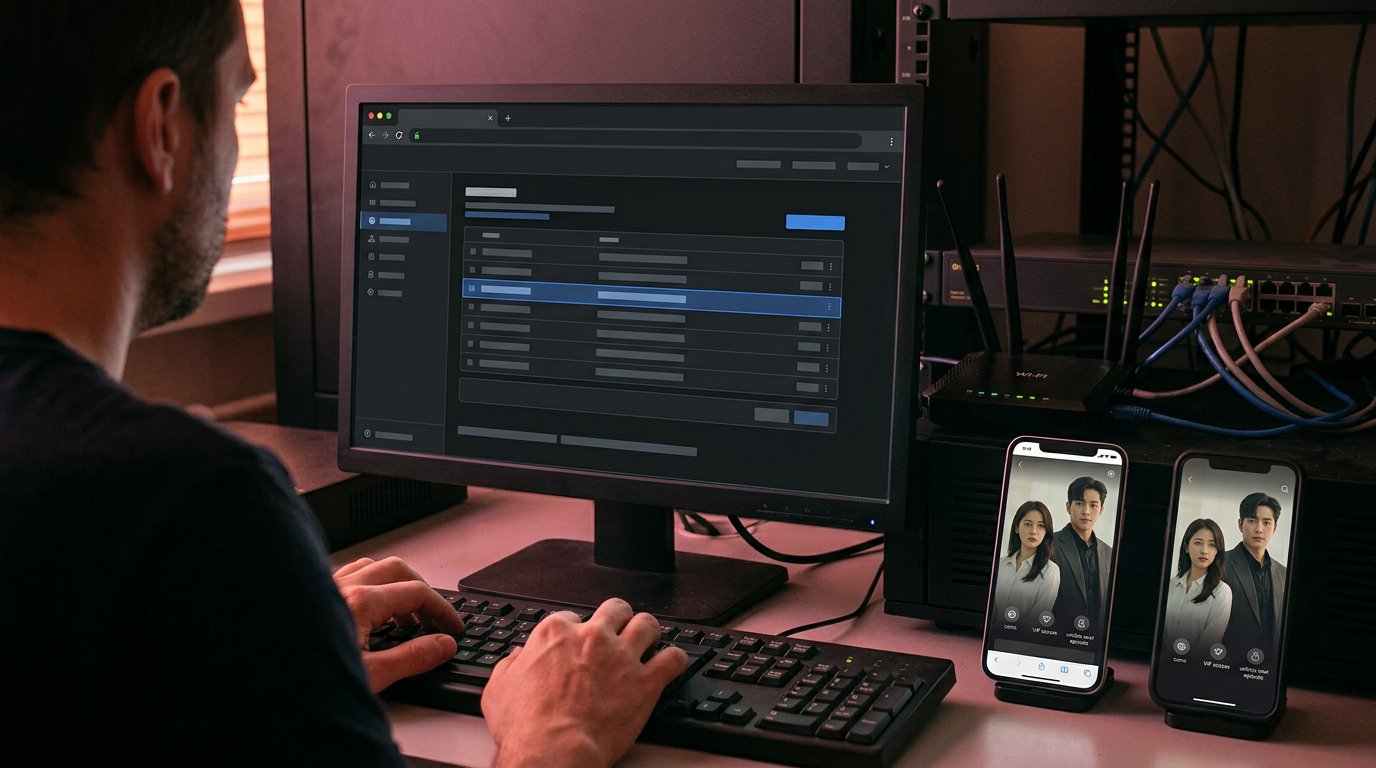
A custom domain streaming platform lets viewers reach your storefront at an address you own, instead of only a vendor subdomain. You will need DNS records, an SSL certificate, and a plan for www and non-www, plus clarity on which platform plan actually includes a custom domain. On Dramnex OS, custom domains and SSL are available after you move to a paid plan; the 7-day trial runs on a Dramnex OS subdomain with a “Made with Dramnexos.com” watermark.
This is a branded web app, not a native store listing. There is a free 7-day trial with no card. Trial storefronts show a “Made with Dramnexos.com” watermark, which comes off on a paid plan. For the setup sequence, see how to set up a custom branded streaming app.
Key Takeaways
- Plan DNS routing for both www and non-www addresses, and account for propagation before launch.
- Compare what each platform plan includes with the domains you need, so added-domain fees don’t catch you off guard.
- Decide how viewers will sign in and access paid content, including memberships, rentals, and episode purchases.
- Explore a branded storefront that starts with a free 7-day trial and offers paid plans as your platform needs grow.
Table of contents
- How do you set up a custom domain with DNS CNAME records?
- What custom domain allowances and extra-domain fees should you check?
- How should buyer access, memberships, rentals and accounts work?
- Which platform plans include a custom domain?
- How custom domains work on Dramnex OS
How do you set up a custom domain with DNS CNAME records?
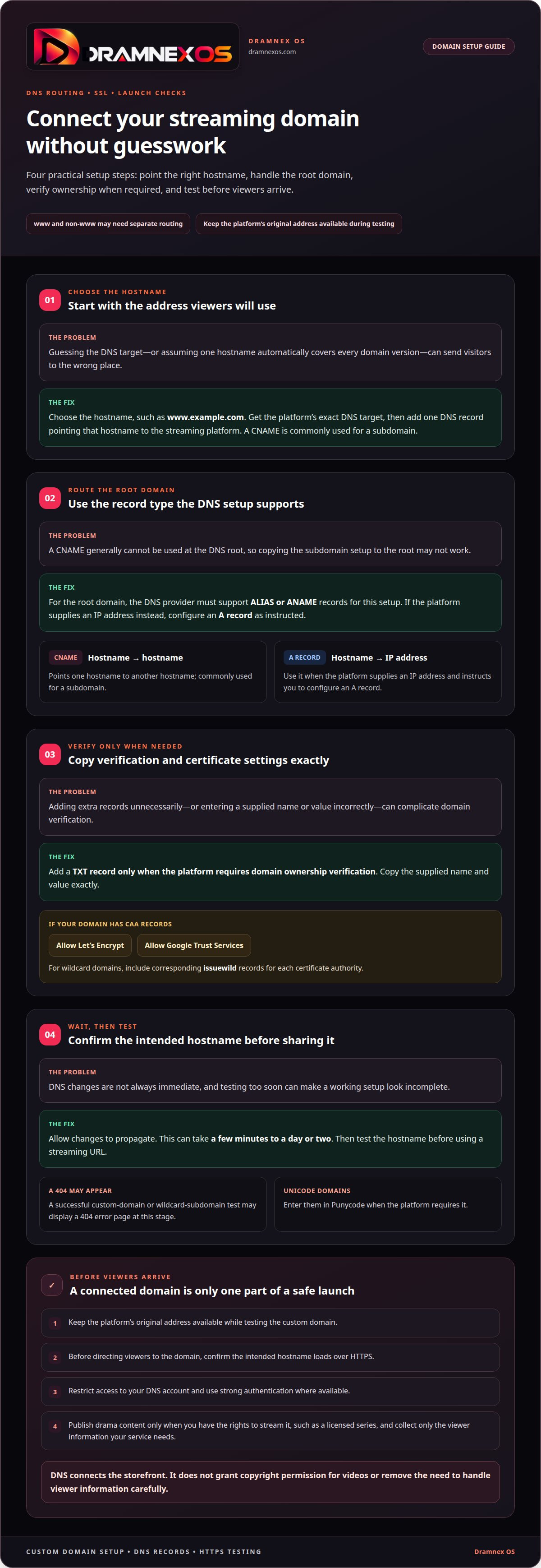
Protect your domain and DNS account, use SSL for encrypted connections, and collect only the viewer information your service needs. Publish drama content only when you have the rights to stream it, such as a licensed series.
- Choose the hostname you want viewers to use, such as www.example.com. Get the platform’s exact DNS target, then add one DNS record pointing that hostname to the streaming platform. A CNAME record is commonly used for a subdomain. Don’t guess the target or substitute a different hostname.
- Handle the root domain separately. A CNAME generally cannot be used at the DNS root, so the DNS provider must support ALIAS or ANAME records for this setup. If the platform supplies an IP address instead, configure an A record as instructed. A records point a hostname to an IP address; CNAME records point it to another hostname.
- Add a TXT record only when the platform requires domain ownership verification. Copy the supplied name and value exactly. If the domain has CAA records, allow Let’s Encrypt and Google Trust Services to issue certificates. For wildcard domains, include corresponding issuewild records for each certificate authority.
- Allow DNS changes time to propagate. They can take from a few minutes to a day or two. Then test the hostname before using a streaming URL. A successful custom-domain or wildcard-subdomain test may display a 404 error page at this stage. Enter Unicode domains in Punycode when the platform requires it.
Keep the platform’s original address available while testing your custom domain. Before directing viewers to it, confirm that the intended hostname loads over HTTPS. Restrict access to your DNS account and use strong authentication where available. A working domain connects the storefront; it does not grant copyright permission for videos or remove the need to handle viewer information carefully.
What custom domain allowances and extra-domain fees should you check?
Bandwidth, storage, and viewer limits depend on the platform plan and usage model. Compare each allowance with your video library, expected viewing patterns, and domain setup before choosing.
-
How should you review custom domain allowances?
Check your plan’s domain rules before launch. With Dramnex OS, custom domains and SSL are available after upgrading to a paid plan; the 7-day trial storefront uses a Dramnex OS subdomain. Plan how viewers will reach the storefront, including whether you need a root domain, a subdomain, or both. Don’t assume that one hostname automatically covers every domain version.
Next, review what happens when you change plans. Confirm whether an existing domain remains connected and whether the new tier changes the number of domains you can use. Keep the list focused on domains with a clear job. For example, a primary storefront and a separate brand domain may need different routing, while unused domains add no viewer value.
-
What usage limits and pricing should you check?
Review the plan’s bandwidth, storage, and viewer limits alongside its additional-domain rules. Video resolution, episode length, and repeat viewing affect how quickly bandwidth is consumed. Library size and source file quality shape storage needs. Viewer limits may refer to simultaneous streams, total accounts, or another usage measure, so distinguish the metric before comparing plans.
For a custom domain streaming platform quote, price depends on the case and is given after a quote request; domain count, bandwidth needs, storage, and expected viewer demand shape the cost. Check whether domain charges are recurring or tied to a plan change. Then estimate growth using your planned catalogue and viewing model, not just launch-day traffic. Keep the relevant plan settings and usage limits together in your decision notes.
How should buyer access, memberships, rentals and accounts work?
- Choose how a viewer gets access before designing the storefront. A free account, a paid membership, and a one-time rental create different paths. Write down what each viewer can watch, when access starts, and what ends it. For example, a rental may unlock one title, while a membership may grant access to a defined catalogue.
- Map the account journey across your domain and any subdomain. Decide where viewers browse, sign in, and return after checkout. Keep the route consistent: a viewer who creates an account on watch.example.com should know how to reach the same account from example.com. Avoid separate sign-in flows unless they serve a clear purpose.
- Set membership rules before enabling recurring access. Define which titles or episodes belong to each tier, how upgrades affect access, and what viewers see after cancellation. Use a sample account to test the full path, from joining a tier to opening a members-only episode. Clear rules help viewers understand the difference between account status and viewing permission.
- Specify rental access title by title. Decide when the viewing window begins, which playback actions are allowed, and what appears when access expires. Keep the purchase page and account screen aligned. A viewer should be able to identify a rented title, understand its current access status, and find the next step without searching through unrelated membership options.
- Test buyer access with separate accounts for each scenario. Use one account for a membership, another for a rental, and a third without purchases. Check sign-in, payment completion, playback access, and expired access on both desktop and mobile. Then test the same account after moving between the main domain and subdomain. Fix broken handoffs before inviting viewers.
Which platform plans include a custom domain?
In the United States, you can use a custom domain with a streaming platform by connecting it through DNS. Platforms may support custom domains for video on demand, live streaming, or both; domain support alone doesn’t establish which video formats a plan includes.
- Check that your chosen address fits the platform’s domain setup. With Dramnex OS, custom domains are available after upgrading to a paid plan, while the free storefront uses a Dramnexos.com subdomain. For example, example.com and watch.example.com are different hostnames. Plan which address viewers will use and configure each hostname accordingly.
Separate domain setup from other platform features, such as branded apps, memberships, and analytics. Dramnex OS offers branded web and PWA storefronts on your own domain, and its Done-For-You Launch service handles setup with you; it does not publish native iOS or Android apps. Choose the capabilities that fit your streaming business and launch plans.
- Match the platform’s video features to your release model. A library of finished episodes needs video-on-demand support. Scheduled broadcasts need live-streaming support. If you plan to offer both, confirm that the same custom-domain storefront can present both formats, rather than assuming domain configuration enables a video feature.
Use a simple checklist: video on demand, live streaming, or both; custom root domain, subdomain, or both; and the specific plan that includes each capability. This makes gaps visible before launch. Keep the platform’s default address as a fallback during testing, then confirm the custom address loads the intended storefront.
- Choose the domain structure that fits your brand and viewer journey. A root domain such as example.com can serve as the main storefront, while watch.example.com can separate viewing from other site functions. Check how each plan handles the exact structure you need, including whether the www version also requires configuration.
Record the included domains, supported video formats, and any added-domain charges before selecting a plan. Treat these as separate decision points. A custom domain controls the storefront address; live or on-demand playback depends on the platform’s video features.
How custom domains work on Dramnex OS
Viewers get a branded web app they can install from the browser as a PWA. Dramnex OS does not provide native iOS or Android apps, and it does not list apps on the App Store or Google Play. There is a free 7-day trial with no card. Trial storefronts show a “Made with Dramnexos.com” watermark, which comes off on a paid plan. Plans are Creator at $49/month, Starter at $149.99/month, Launch at $399/month and Studio at $999/month, plus a 5% platform fee on collected viewer payments (0% during the trial). See current pricing. Viewer payments go to the operator’s Stripe account once Stripe is connected. Until then, Dramnex OS can collect payments and pay out by Wise (including to a Pakistani bank in PKR), Payoneer, PayPal, or bank transfer. Stripe’s processing fee is separate. Done-For-You Launch is optional setup help: branding, custom domain, catalog onboarding, and monetization configuration. It does not include native app development or store listings.
You can start a free 7-day trial, open the self-serve demo, or browse finished series on the content marketplace.
Related reading
FAQ
Frequently asked questions
What is a custom domain streaming platform?
It is a streaming storefront that viewers reach at a domain you own, such as watch.yourbrand.com, instead of only a vendor subdomain. The platform still hosts the app; the domain is how people find it.
Can my streaming site work on both the www and non-www address?
Yes, if you set DNS and redirects so one host is canonical and the other forwards to it. Pick one primary address, issue SSL for the names you use, and avoid leaving both versions as separate live sites.
What happens to my original platform address after I add a custom domain?
That depends on the vendor. Often the vendor subdomain keeps working or redirects to the custom domain. Confirm the behaviour in writing, including what happens to bookmarks and existing links.
How do you connect a custom domain to a streaming platform?
Usually you add a CNAME (or similar) record at your DNS host, pointing your hostname to the address the platform provides, then wait for DNS to propagate and for SSL to be issued. On Dramnex OS this is available on a paid plan, not during the 7-day trial.
What DNS records and SSL certificate are required?
Most platforms ask for a CNAME to their target and then provision SSL for you. You may also need an apex (root) record or a redirect from the root to www, depending on your DNS host. Do not turn off the old hostname until the certificate is valid.
How much do custom domain streaming platforms cost?
The domain itself is a registrar fee; the streaming platform is a separate subscription. Dramnex OS includes a custom domain on paid Creator, Starter, Launch and Studio plans. The 7-day trial runs on a Dramnex OS subdomain with a “Made with Dramnexos.com” watermark.
Newsroom by email
Get new articles in your inbox
Guides on launching and monetising your vertical-drama business. Confirm your address once, and we’ll email you when a new article is published.
Launch your own
Your own branded streaming app, live in minutes
Dramnexos is the white-label streaming operating system for vertical drama: your brand, your domain, coins, VIP and episode unlocks — with a free storefront to start and a licensing marketplace for finished series.