
guides
How to Set Up a Custom Branded Streaming App
Setting up a custom branded streaming app means choosing a platform, applying your name and domain, setting how viewers pay, and launching on the devices you actually support. Some vendors offer native or TV apps; Dramnex OS viewers get an installable web app (PWA) only.
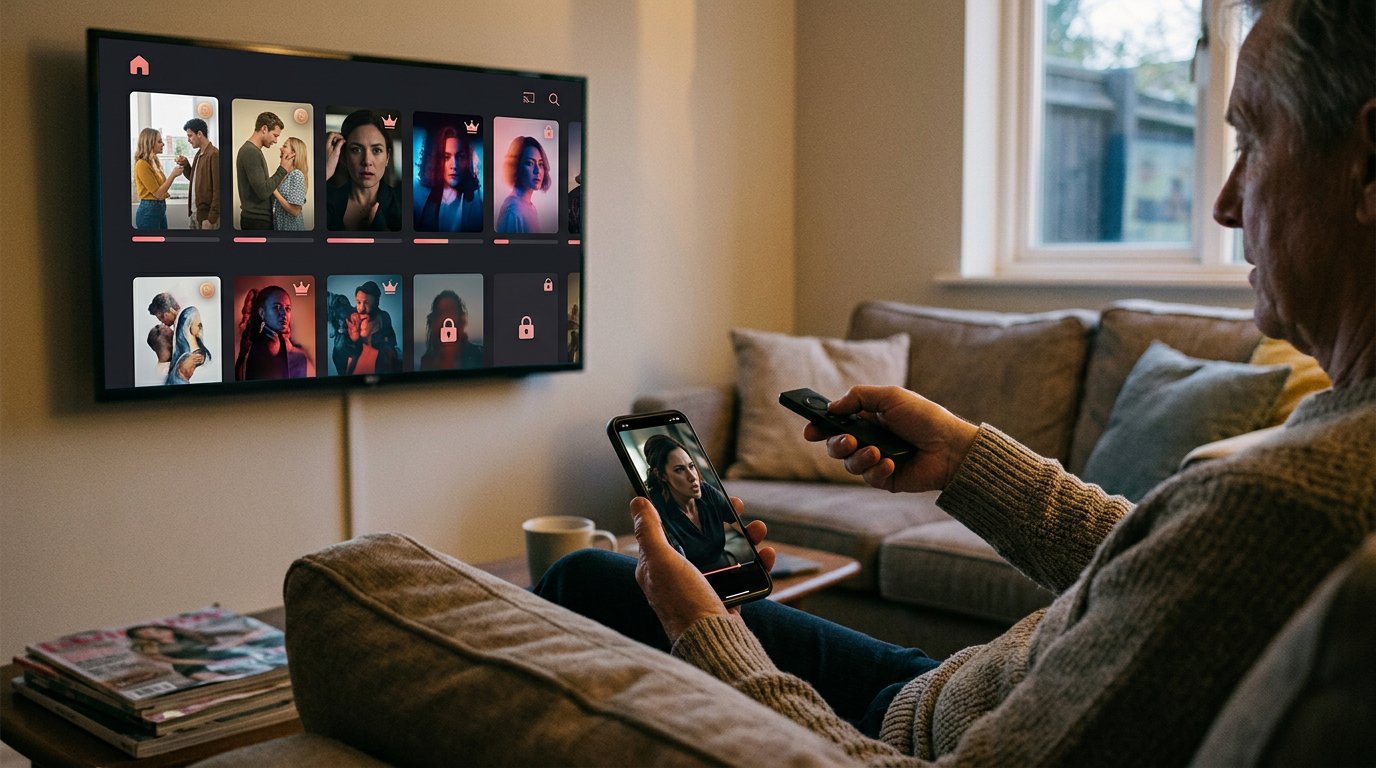
Setting up a custom branded streaming app means choosing a platform, applying your name, colours and domain, setting how viewers pay, and launching on the devices you actually support. Some white-label vendors offer native iOS, Android or connected-TV apps; Dramnex OS does not. Viewers get an installable web app (PWA) only. Plan monetization, analytics and rights clearance at the same time as the look of the storefront, or the launch will stall after the logo is in place.
There is a free 7-day trial with no card. Trial storefronts show a “Made with Dramnexos.com” watermark, which comes off on a paid plan. For connecting your own domain, see what to consider when launching on a custom domain. In the United States, using a series usually requires permission from the rights holder (U.S. Copyright Office).
Key Takeaways
- Define the visual choices and viewing experience that make the app feel like your brand.
- Plan deployment around the screens your audience uses, from mobile devices to web and TVs.
- Use analytics to spot where viewers engage, unlock episodes, or stop watching.
- Choose a white-label platform based on the control you need over branding, monetization, and content.
Table of contents
- How should you brand and customize the app?
- How should the app work across devices?
- What streaming analytics should you track?
- How do you select a white-label OTT platform?
- How Dramnex OS helps you set up a branded streaming app
How should you brand and customize the app?
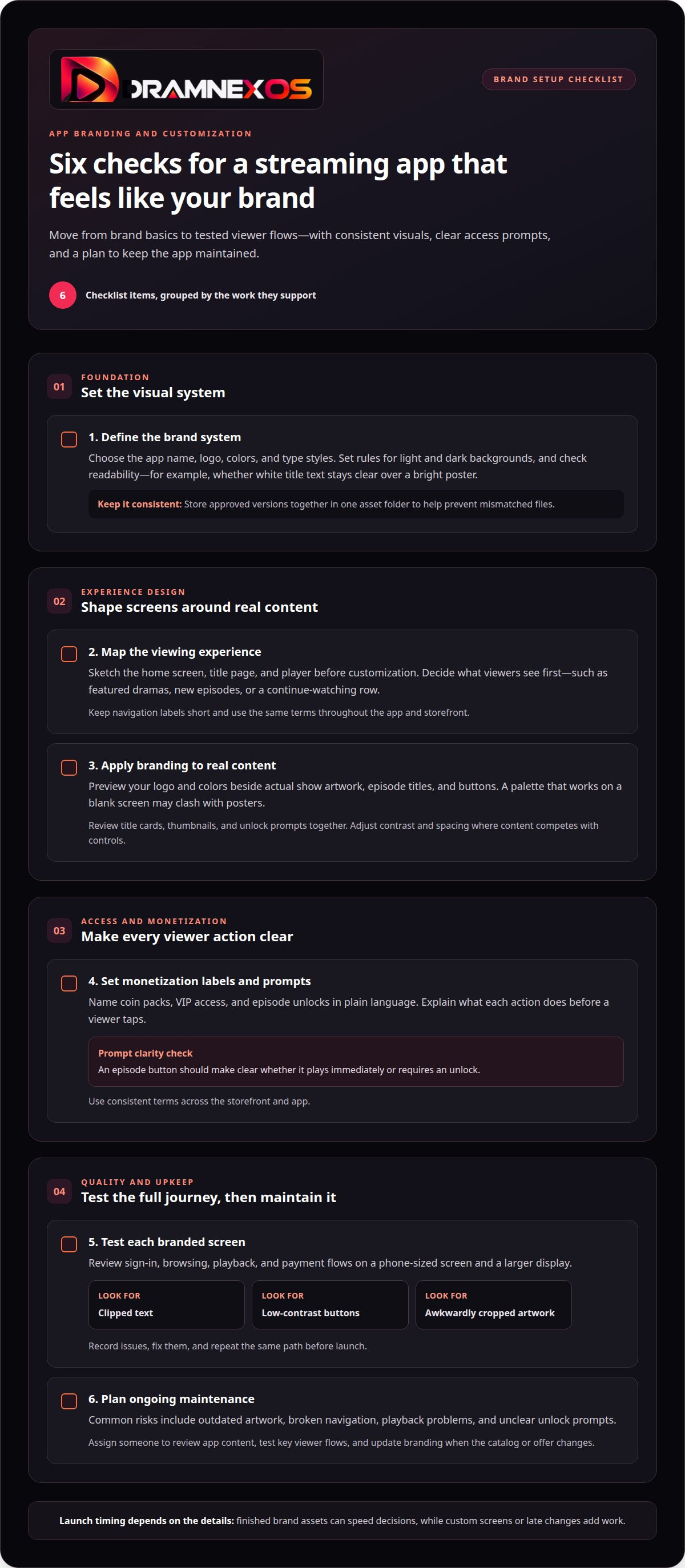
Launch timing depends on your brand assets, app scope, and testing needs. A finished logo and color palette can speed decisions, while custom screens or late changes add work.
- Define the brand system. Choose your app name, logo, colors, and type styles. Set rules for light and dark backgrounds. For example, check whether white title text remains readable over a bright poster. Keep approved versions in one asset folder to prevent mismatched files.
- Map the viewing experience. Sketch the home screen, title page, and player before customization begins. Decide what viewers see first, such as featured dramas, new episodes, or a continue-watching row. Keep navigation labels short and use the same terms throughout the app and storefront.
- Apply branding to real content. Preview your logo and colors alongside actual show artwork, episode titles, and buttons. A palette that works on a blank screen may clash with posters. Check title cards, thumbnails, and unlock prompts together, then adjust contrast and spacing where content competes with controls.
- Set monetization labels and prompts. Name coin packs, VIP access, and episode unlocks in plain language. Explain what each action does before a viewer taps. For example, an episode button should make clear whether it plays immediately or requires an unlock. Keep terms consistent across the storefront and app.
- Test each branded screen. Review sign-in, browsing, playback, and payment flows on a phone-sized screen and a larger display. Look for clipped text, low-contrast buttons, and awkwardly cropped artwork. Record each issue, fix it, then repeat the same path before launch.
- Plan ongoing maintenance. Common risks include outdated artwork, broken navigation, playback problems, and unclear unlock prompts. Assign someone to review app content, test key viewer flows, and update branding when the catalog or offer changes.
How should the app work across devices?
- Choose the screens you’ll support. Decide which devices matter to your audience and set a clear launch scope. For a first release, you might prioritize web and mobile, then plan TV support separately. Be specific about the platforms you intend to launch on.
- Match each interface to its screen. A phone needs thumb-friendly controls and compact menus. A television needs readable text, visible focus states, and navigation that works with a remote. A web app should work in both narrow browser windows and larger desktop displays.
- Test the same viewer journey everywhere. Open the app, find a title, start playback, and resume an episode. Repeat those actions on each target device. Note where labels, buttons, or playback behavior differ, and fix inconsistencies before adding more screens.
- Check content presentation by device. A poster that looks clear on a phone may crop awkwardly on a television. Review title artwork, episode names, and descriptions on each screen size. Keep key information visible, especially the series title and episode action.
- Test playback under varied conditions. Start with a stable connection, then test with a weaker one. Watch for long loading times, interrupted playback, or a player that fails to recover. Confirm that viewers can return to browsing without losing their place.
- Prepare the catalog before release. Organize titles, episode order, artwork, and descriptions before publishing across devices. For short-drama apps, finished series from studios and creators can help build a ready-to-browse catalog. Explore short-drama content licensing options as part of that preparation.
- Retest after each change. A new screen, updated artwork, or altered navigation can affect another device. Keep a release checklist for web, mobile, and TV. Re-run the core viewing journey after changes, so small updates don’t create avoidable launch issues.
What streaming analytics should you track?
- Choose the decisions analytics should support. Track whether viewers find titles, start episodes, and return. For a short-drama app, identify where viewers leave between episodes. A useful dashboard connects each measure to a decision, such as changing title placement or clarifying an unlock prompt.
- Track the viewing funnel. Record key events: app open, title view, playback start, episode completion, and return visit. Compare each step. If title views rise but playback starts don’t, inspect the artwork, description, or play button before changing unrelated screens.
- Measure monetization actions. Separate coin purchases, VIP access, and episode unlocks in reports. Count completed actions, not just button taps, and compare each with viewing behavior. This helps show whether viewers understand the offer or stop before completing it.
- Segment results by device and content. Compare a series on mobile and web, and on television if supported. Review episode completion and playback exits by device. If one device shows a sharp drop, investigate its player or navigation. Don’t treat a catalog-wide average as the whole story.
- Set a review rhythm. Check the same dashboard after each catalog update or app release. Annotate changes, such as a new episode order, so later shifts have context. For ad-supported services, comfort with ads varies by audience and product, and published survey figures are not a forecast for your app. Measure your own completion and conversion rates instead of borrowing a category average.
- Plan United States store submissions. App store fees and approval rules vary by store, payment flow, and app features. Include applicable costs and review steps in launch planning, and confirm current store requirements before submission. Prepare clear payment descriptions and complete app details.
- Map rights, privacy, accessibility, and delivery. Secure streaming rights for each title, explain data collection, and design for captions and clear controls. Hosting stores video files, encoding creates playable versions, and a CDN delivers them. Match these choices to video quality, device support, and expected viewing demand.
How do you select a white-label OTT platform?
- Start with your content format. A platform built for short dramas may suit episode-based viewing better than one designed around long films. Map your catalog, release pattern, and audience journey. For example, outline how viewers discover a series, watch an episode, and access the next one.
- Match monetization to the viewing model. Check that the platform supports the options your business needs, such as coin packs, VIP access, or episode unlocks. Trace each option from the viewer’s screen through the payment step. Clear flows reduce confusion about what an action unlocks.
- Check brand control. Review how the platform handles your app identity, storefront, domain, artwork, and navigation. Use a sample title page to see whether your logo and visual style appear consistently. The branded experience should feel connected from browsing through playback.
- Confirm device coverage. Match supported app formats to your rollout plan, such as web, iOS, Android, and television. Ask how each version handles sign-in, browsing, and playback. A platform that covers only one screen may create extra work as your audience expands.
- Inspect analytics before choosing. Look for reports connecting title discovery, episode starts, completion, and monetization actions. Test a sample viewer journey. If the platform only shows broad totals, it may not answer practical questions about where viewers stop.
- Review content operations. Check how staff add series, arrange episodes, and update descriptions or artwork. If you need finished short dramas, assess whether a licensing marketplace can connect operators with studios and creators. Plan catalog access alongside app operations.
- Compare the full operating fit. Weigh branding, monetization, devices, analytics, and catalog workflow together. Don’t choose from a feature list alone. Walk through one realistic launch scenario, from adding a series to tracking its performance. Explore a white-label OTT platform built for branded vertical-drama apps.
How Dramnex OS helps you set up a branded streaming app
Viewers get a branded web app they can install from the browser as a PWA. Dramnex OS does not provide native iOS or Android apps, and it does not list apps on the App Store or Google Play. There is a free 7-day trial with no card. Trial storefronts show a “Made with Dramnexos.com” watermark, which comes off on a paid plan. Plans are Creator at $49/month, Starter at $149.99/month, Launch at $399/month and Studio at $999/month, plus a 5% platform fee on collected viewer payments (0% during the trial). See current pricing. Viewer payments go to the operator’s Stripe account once Stripe is connected. Until then, Dramnex OS can collect payments and pay out by Wise (including to a Pakistani bank in PKR), Payoneer, PayPal, or bank transfer. Stripe’s processing fee is separate. Done-For-You Launch is optional setup help: branding, custom domain, catalog onboarding, and monetization configuration. It does not include native app development or store listings.
You can start a free 7-day trial, open the self-serve demo, or browse finished series on the content marketplace.
Related reading
FAQ
Frequently asked questions
Which platforms can a Dramnex OS branded app support?
Dramnex OS gives viewers a branded web app they can install from the browser as a PWA. It does not provide native iOS or Android apps, and it does not list apps on the App Store, Google Play, Roku, Fire TV or Apple TV. Other white-label vendors may offer those targets; check each vendor’s list before you buy.
What are the steps to set up and launch a branded streaming app?
Choose a platform, add branding, connect a custom domain if the plan includes one, load a licensed catalogue, set coins or VIP, connect payments, test playback, then launch. On Dramnex OS the 7-day trial uses a Dramnex OS subdomain and a “Made with Dramnexos.com” watermark; a custom domain is available on a paid plan.
Which white-label streaming app providers are available, and how do their features and prices compare?
Providers differ on devices, monetization, domains and price. Compare the written feature list, not a brochure headline. Dramnex OS publishes Creator, Starter, Launch and Studio plans on dramnexos.com/pricing, with a free 7-day trial and no card.
What features should a custom branded streaming app include?
Branding, catalogue and playback, a payment model (subscriptions, coins, ads, or a mix), accounts, analytics, and a plan for rights and privacy. Live streaming is not required for a short-drama storefront. Confirm whether native or TV apps are included if you need them; Dramnex OS does not include those.
What content licensing, copyright, privacy, and accessibility rules apply?
You need the rights to distribute each title, and in the United States that usually means written permission from the rights holder. Privacy laws such as the GDPR or California’s CCPA may apply depending on your audience. Accessibility, captions and store rules apply only to the devices and markets you actually launch on.
How long does it take to launch a custom branded streaming app?
A hosted white-label storefront can go live once branding, catalogue, payments and testing are ready, often much sooner than a custom native build. A custom web and mobile streaming MVP is often estimated at about five to eight months, before content and marketing, though quotes vary by scope.
Newsroom by email
Get new articles in your inbox
Guides on launching and monetising your vertical-drama business. Confirm your address once, and we’ll email you when a new article is published.
Launch your own
Your own branded streaming app, live in minutes
Dramnexos is the white-label streaming operating system for vertical drama: your brand, your domain, coins, VIP and episode unlocks — with a free storefront to start and a licensing marketplace for finished series.