
guides
How to Choose a Stack for a Native iOS and Android Streaming App
A native iOS and Android streaming app can share its product plan and backend while using platform-specific code where playback needs differ. You can also skip native apps and launch a branded web app that viewers install as a PWA, which avoids store review and store commissions.
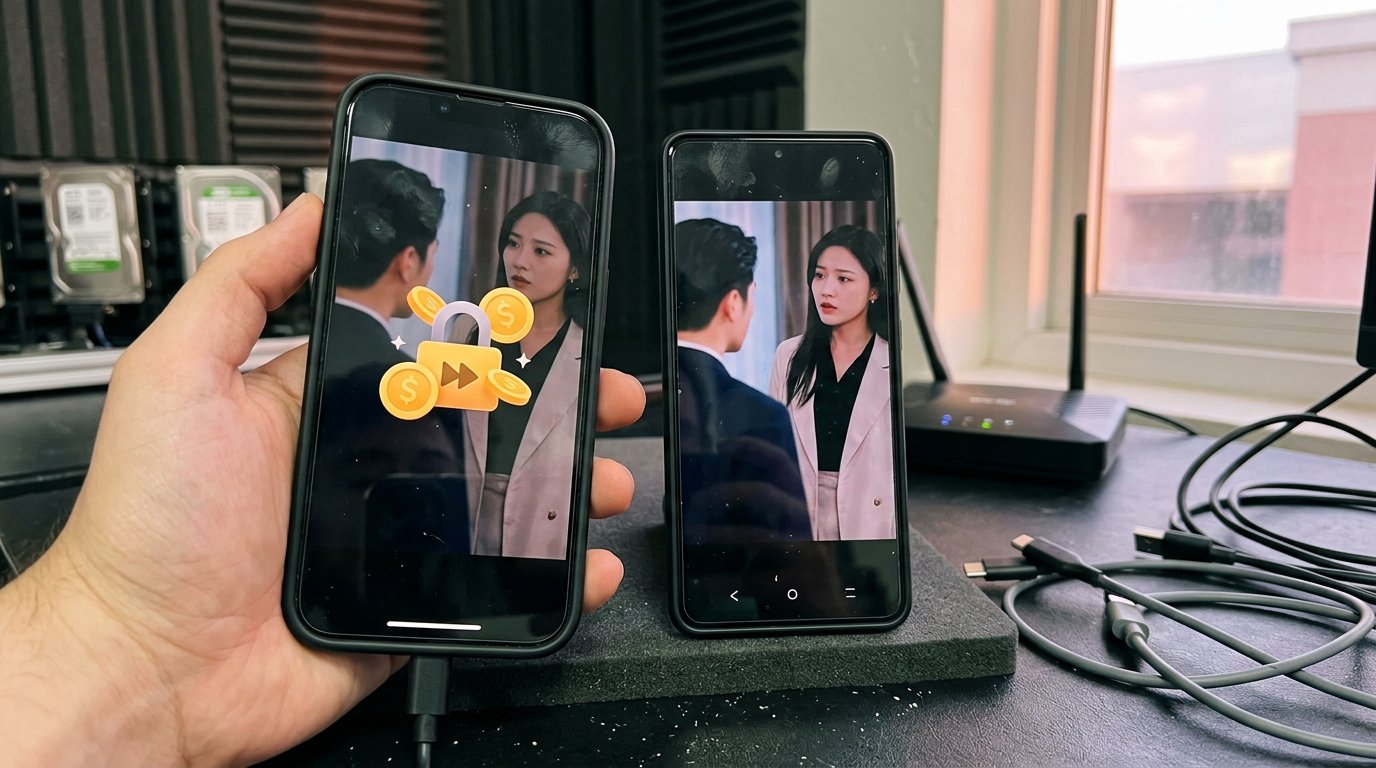
A native iOS and Android streaming app can share its product plan, backend and catalogue while using platform-specific code where playback needs differ. You can also skip native apps altogether and launch a branded web app that viewers install from the browser as a PWA, which avoids store review and store commissions. The right stack depends on the playback control you need, your budget, and whether store distribution is actually required for your business.
Dramnex OS is the PWA path: it does not provide native iOS or Android apps, and Done-For-You Launch does not include native app builds. There is a free 7-day trial with no card. Trial storefronts show a “Made with Dramnexos.com” watermark, which comes off on a paid plan. If you are comparing a custom build with a white-label platform, see short drama app development cost in 2026.
Key Takeaways
- Choose native or cross-platform development based on the playback control and platform-specific features your app needs.
- Map monetization, viewer accounts, and integrations before settling the app architecture.
- Test streaming across real iOS and Android devices, with extra attention to Android media support and playback behavior.
- Use a white-label platform when you want branded apps and streaming features without building the full platform from scratch.
Table of contents
- Should you choose a native or cross-platform stack?
- Which native app features and integrations matter?
- How should you test the app on iOS and Android devices?
- What does Android streaming media support require?
- When is a white-label web app a better stack than native apps?
- How do you turn the stack decision into a launch plan?
Should you choose a native or cross-platform stack?
A custom web and mobile streaming MVP is often estimated at about five to eight months, before content and marketing, though quotes vary widely by scope (Kanopy Labs).
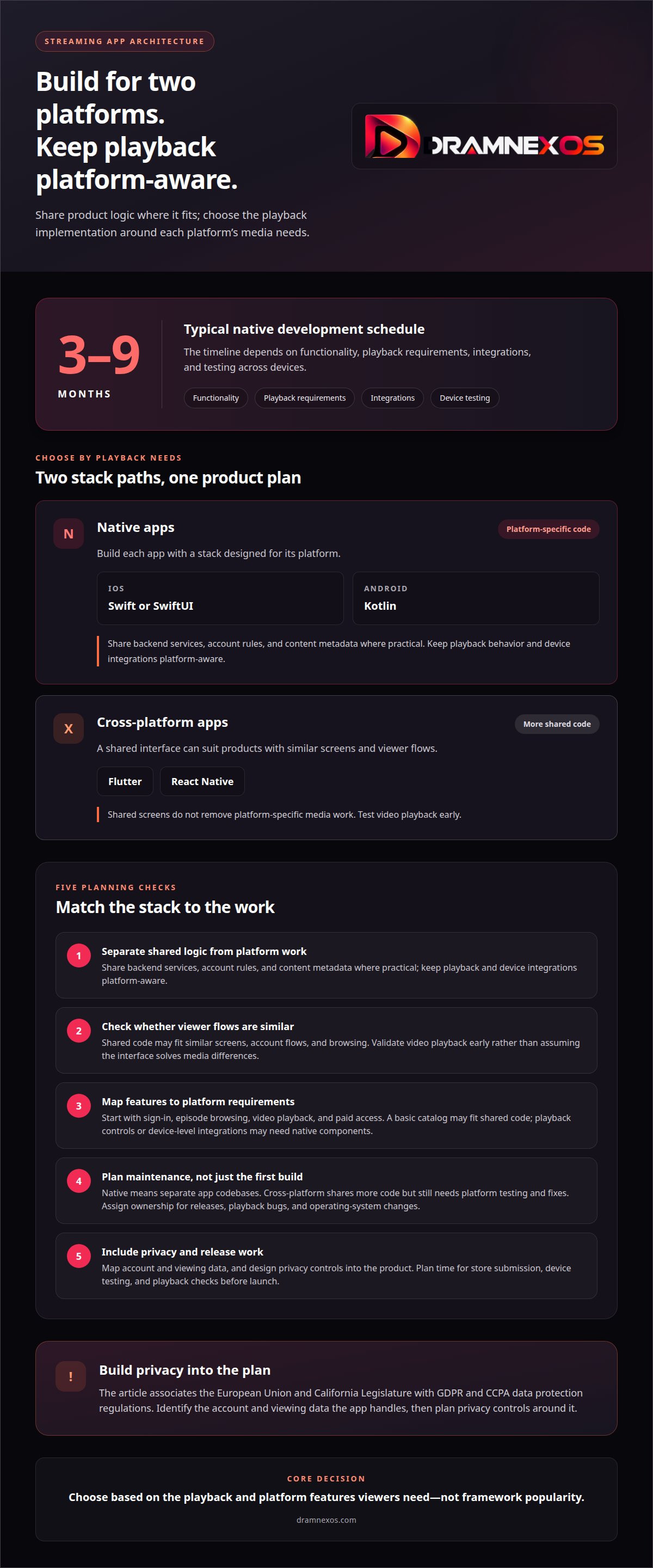
- Separate platform-specific work from shared product logic. Swift or SwiftUI can power the iOS app, while Kotlin can power Android. This approach gives each app a stack built for its platform. Share backend services, account rules, and content metadata where practical. Keep playback behavior and device integrations platform-aware.
- Choose cross-platform development for a shared interface. Flutter and React Native let teams build much of the app from shared code. That can suit a product with similar screens, account flows, and browsing on both platforms. Test video playback early, though. A shared interface doesn’t remove platform-specific media work.
- Compare the stacks against actual functionality. List the features viewers will use first, such as sign-in, episode browsing, video playback, and paid access. Then map each feature to its platform requirements. For example, a basic catalog may fit shared code, while playback controls or device-level integrations may need native components. Decide based on feature needs, not framework popularity.
- Plan for maintenance before choosing. Native iOS and Android development means maintaining separate app codebases. Cross-platform development shares more code, but still needs platform testing and fixes. Assign ownership for releases, playback bugs, and operating-system changes. Include those tasks in the schedule, not just the first build.
- Set privacy and release work into the plan. The EU data protection rules (including the GDPR) and California’s CCPA may apply depending on your audience and data practices. Map what account and viewing data the app handles, then design privacy controls into the product. Also allow time for store submission, device testing, and playback checks before launch.
Which native app features and integrations matter?
Choose features based on viewer actions, not a long wishlist. For a video app, map each action to the screen and service that supports it.
-
How should you plan native features and integrations?
List viewers’ core actions: browsing a catalog, resuming an episode, managing an account, or searching for a title. Then connect each action to the service behind it, such as account authentication, catalog data, analytics, or playback. Keep the first release focused. Add device integrations only when they meet a clear viewer need, such as accessible playback controls or reliable account access.
-
How should subscriptions and in-app purchases be handled?
Use Apple App Store billing on iOS and Google Play billing on Android for in-app subscriptions or purchases. Send transaction records to your backend, then use account entitlements to control access across the app. Test purchases, renewals, cancellations, and restorations on both platforms. Keep store-specific transaction handling separate from shared account logic so one platform’s billing state doesn’t accidentally unlock or block content elsewhere.
- Define how access works. Decide whether viewers subscribe, buy individual episodes, or use both models. For example, a subscription might unlock a catalog, while an episode purchase grants access to one title. Record entitlements in the account system and show their status in the app. Make locked, purchased, and available episodes easy to distinguish.
- Connect analytics to product decisions. Track useful events, such as searches, episode starts, playback completions, and purchase attempts. Give each event a clear name and consistent meaning across iOS and Android. Separate technical signals, such as playback errors, from viewer actions. This helps teams determine whether a problem lies in the app flow or the media experience.
A simple streaming app can cost tens of thousands of dollars, while a fully featured platform with advanced capabilities may cost hundreds of thousands. Set feature priorities during planning: define what the first release must let viewers do, then weigh each integration against the intended scope. Tie advanced capabilities to clear needs and revisit them as requirements become more specific.
How should you test the app on iOS and Android devices?
Test the full viewer journey on real devices, not just simulators. A successful launch depends on playback, navigation, and account behavior working together.
- Build a device test matrix. Include an iPhone, an iPad if supported, and Android phones and tablets. Record each device, operating system, and test result. Check portrait browsing, episode playback, sign-in, and returning to a title. This makes platform-specific failures easier to reproduce and assign.
- Test the viewer journey from start to finish. Open the app, find a series, start an episode, pause, resume, and move to another episode. Repeat on iOS and Android. Confirm that the same account sees the expected catalog and access status on both platforms. A flow that works on one device can still expose a gap on another.
- Check interruptions during playback. Test what happens when a viewer locks the screen, switches apps, or receives a call. Confirm that playback pauses or resumes in the intended way. Also test weak or changing network connections. Watch for stalled video, lost progress, or controls that stop responding after the app returns.
- Compare screen and navigation behavior. Review menus, episode lists, captions, and playback controls on each device size. For example, check whether a title remains readable on a smaller phone and whether tablet layouts use available space well. Keep core actions easy to find. Don’t assume identical layouts will feel identical on iOS and Android.
- Retest after every release change. A new sign-in flow, player update, or catalog change can affect an existing journey. Run the same playback and navigation checks on both platforms after changes. Log the device, operating system, app version, and steps that caused an issue. That record gives developers a clear path to reproduce and fix it.
What does Android streaming media support require?
- Set a playback compatibility target. Pick the Android devices and playback conditions your app must handle. Test portrait video, changing network quality, pausing, seeking, and resuming. Validate each supported video format on actual devices. A file that plays in one test setup can still fail elsewhere, so record the device and playback result for every test.
- Choose protocols and formats around your delivery pipeline. Compare HLS and MPEG-DASH for adaptive streaming, then test the selected format with your Android player. Check video and audio codecs, captions, and seeking behavior together. Use MP4 for downloadable or progressive-playback cases only when it fits your delivery plan. Confirm iOS and Android playback before locking the encoding workflow.
- Build accessibility and privacy into the experience. Include captions, readable text, labeled playback controls, and screen-reader support. These features make episodes easier to navigate. For privacy, the European Union and California Legislature identify GDPR and CCPA as data-protection regulations streaming apps should comply with. Map account and viewing data, then limit collection to what the app needs.
- Plan the backend, hosting, and CDN as one path. Connect the app to backend services for accounts, catalog data, playback authorization, and viewing progress. Store video assets in media storage, then deliver them through a content delivery network. Test the full path from app request to video playback. Measure startup failures and buffering so the team can locate delivery bottlenecks.
- Protect streams and validate Android behavior. Use encrypted connections, access-controlled playback requests, and DRM supported by the player and content rights. Keep account credentials and playback authorization on the server side. Open-source examples can help prototype live streaming, but test the finished flow on target Android devices. Verify captions, audio, and recovery after playback interruptions.
When is a white-label web app a better stack than native apps?
If your business is the shows, not the software, you may not need two native codebases. Dramnex OS combines streaming with coins, VIP, episode unlocks and analytics on a branded web app. Viewers get a branded web app they can install from the browser as a PWA. Dramnex OS does not provide native iOS or Android apps, and it does not list apps on the App Store or Google Play. Done-For-You Launch is optional setup help: branding, custom domain, catalog onboarding, and monetization configuration. It does not include native app development or store listings.
There is a free 7-day trial with no card. Trial storefronts show a “Made with Dramnexos.com” watermark, which comes off on a paid plan. Plans are Creator at $49/month, Starter at $149.99/month, Launch at $399/month and Studio at $999/month, plus a 5% platform fee on collected viewer payments (0% during the trial). See current pricing. Viewer payments go to the operator’s Stripe account once Stripe is connected. Until then, Dramnex OS can collect payments and pay out by Wise (including to a Pakistani bank in PKR), Payoneer, PayPal, or bank transfer. Stripe’s processing fee is separate. Operators looking for finished short dramas can license series through the content marketplace.
Open the self-serve demo or start the free trial if you want to launch the viewing experience first. If you later need native store apps, you can still build them separately; Dramnex OS will not produce those builds for you.
How do you turn the stack decision into a launch plan?
Start by defining the first viewer journey you want to launch. Set the core features, map the content experience, and decide which technical work — if any — must stay platform-specific. That gives your team a brief, not an open-ended feature list. Keep the business model behind playback equally clear: how viewers pay, and how you get paid.
Related reading
FAQ
Frequently asked questions
Do I have to build native iOS and Android apps?
No. A branded web app, including a PWA, can be enough for a first launch. Native store apps add development time, store review and, if you sell in-app, store commissions. Dramnex OS provides an installable web app only and does not publish native iOS or Android apps.
Can I build both iOS and Android apps at the same time?
Yes. Plan one product launch with platform-specific builds and release checks. Shared services can support the same catalogue and viewer accounts, while each app handles its own store submission and device behavior. Test purchases and playback separately on each platform before release.
How long does a native streaming app take to build?
It depends on scope. One published agency estimate for a web and mobile streaming MVP is about five to eight months, before content and marketing. Treat that as a range to check a quote, not a promise.
How do native streaming apps compare with cross-platform apps?
Native apps use separate platform code, which can increase build and maintenance work. Cross-platform tools share more interface code, but playback and store billing often still need platform-specific work. Neither approach guarantees a lower total cost.
Does Done-For-You Launch include native app development?
No. Done-For-You Launch is optional setup help for branding, custom domain, catalog onboarding and monetization configuration. It does not include native iOS or Android development or store listings.
Newsroom by email
Get new articles in your inbox
Guides on launching and monetising your vertical-drama business. Confirm your address once, and we’ll email you when a new article is published.
Launch your own
Your own branded streaming app, live in minutes
Dramnexos is the white-label streaming operating system for vertical drama: your brand, your domain, coins, VIP and episode unlocks — with a free storefront to start and a licensing marketplace for finished series.