
guides
How to Publish and Price a Streaming App on App Stores
You do not have to list a native app in the App Store or on Google Play to launch a streaming service. A branded web app, including a PWA, can go live without store review or store commission. If you do want store listings, plan for a complete listing, a matching price, a working build and time for review.
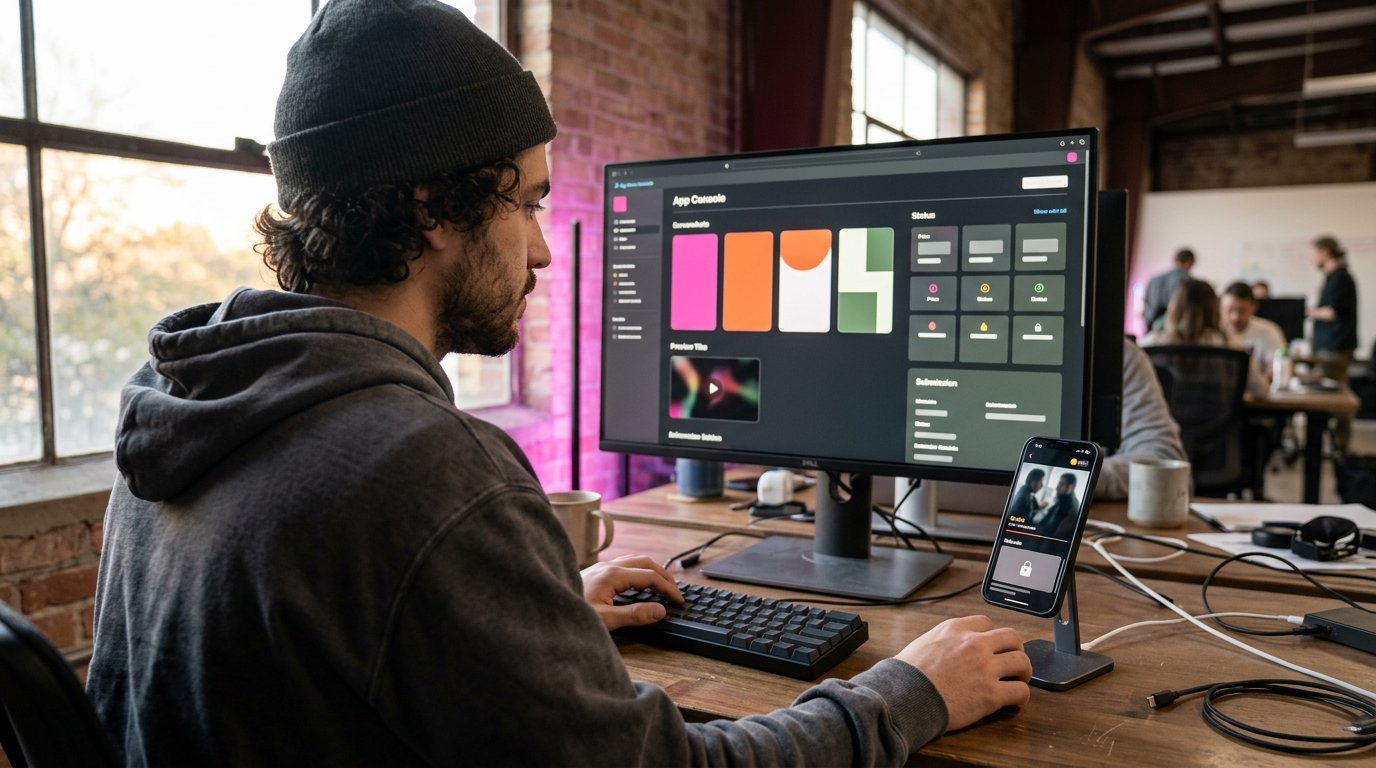
You do not have to publish a native app in the App Store or on Google Play to launch a streaming service. A branded web app, including a PWA that viewers can install from the browser, can go live without app review or a store commission. If you do want store listings, you will need a complete listing, a price that matches your revenue model, a working build, and time for review.
This guide covers both paths. Dramnex OS viewers get an installable web app only; Dramnex OS does not publish native iOS or Android apps or list them in the stores, and Done-For-You Launch does not include native app builds. You can start a free 7-day trial or try the self-serve demo. For a line-by-line cost comparison of hosted platforms versus a custom store-app build, see how much it costs to start a streaming service.
Key Takeaways
- Prepare your store listing assets and app details before submission so the page is ready to explain what viewers get.
- Choose a pricing model that fits how your streaming app earns revenue, then make the offer clear in the listing.
- Review permissions, app behavior, and platform requirements before submitting to reduce avoidable review issues.
- Plan discoverability alongside launch, and choose an app platform that supports your brand and monetization model.
Table of contents
- What do App Review and store submission require?
- How do you set up an App Store Connect listing and price?
- How do you improve App Store discoverability and promotion?
- What should you decide before publishing on the App Store?
- Do you need the app stores, or is a web app enough?
- What should you do after launch?
What do App Review and store submission require?
Prepare separate review checklists for Apple and Google Play. Match each submission to the platform’s current requirements, your app’s behavior, and your content rights.
-
How should you prepare for App Review?
Test the streaming app on its supported devices, then submit a build that opens, plays content, and handles purchase flows as described. Apple says it typically reviews at least 50% of submissions in less than 24 hours and 90% in less than 48 hours, though some reviews take longer (Apple App Review). Starting in April 2027, iOS and iPadOS apps uploaded to App Store Connect must be built with the iOS & iPadOS 27 SDK or later and target iOS 15 or later (Apple, Submitting).
For Google Play, check current policies against your app’s features, content, and store declarations before submission. Secure permission for every movie, music track, and live stream you distribute in the United States. Confirm that the rights cover the intended streaming use, territory, and release period.
-
What privacy and content practices must you disclose?
Describe data collection and use consistently in your privacy information and store declarations. Include the app’s age rating, explain how viewers can report or flag content, and describe moderation for user-submitted material if the app accepts it. Make access rules clear.
Check that every permission supports a real feature. An iOS app should not access the camera or microphone without user permission or use private APIs. If the app includes advertising, it should have an Advertising Identifier (IDFA).
-
How do you submit the app for review?
For Google Play, prepare the app build, complete the store listing and required policy declarations, then submit the release through Play Console. Ensure reviewers can access core streaming functions and account-based features. Keep playback screens and purchase steps available during review.
Before release, test video playback across supported devices and network conditions. Choose DRM and playback settings that protect licensed content without disrupting viewing. Provide captions where available, and describe offline downloads accurately so the store listing reflects the app’s actual behavior.
-
How long does app review take?
Plan around Apple’s published review goals (Apple App Review), but keep launch tasks flexible until approval arrives. Monitor the submission status and respond to review feedback with a corrected build or clearer information. Recheck the affected feature before submitting again.
Google Play review times vary, so don’t announce a fixed launch date based only on submission. Keep release notes, app access details, and the tested build aligned while review is underway. After approval, check the published listing and playback flow.
How do you set up an App Store Connect listing and price?
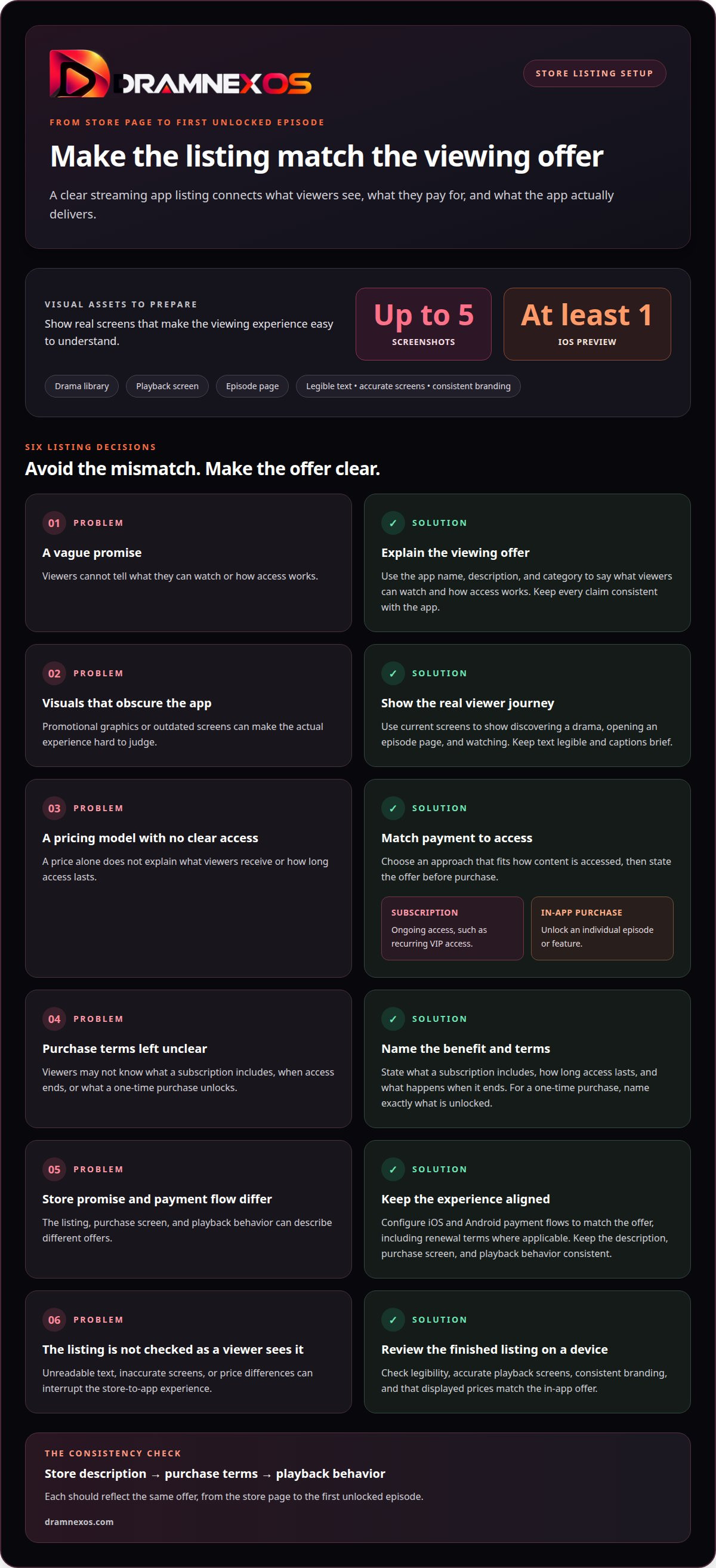
- In App Store Connect, build the listing around one clear promise. Use the app name, description, and category to explain what viewers can watch and how access works. Keep every claim consistent with the app. For example, a promise of offline viewing must match the features viewers actually receive.
- Prepare visual assets before submission. Use at least one screenshot, and up to 10 per device size, to show real screens such as a drama library, playback, or an episode page. An app preview video is optional (Apple screenshot specifications; app preview specifications). Choose visuals that explain the viewing experience quickly, rather than promotional graphics that obscure the interface.
- Set prices according to how viewers access content. A subscription can provide ongoing access, while an in-app purchase can unlock an episode or feature. For example, viewers might buy a single episode or choose recurring VIP access. Explain the offer and access terms before purchase.
- Connect each payment option to a specific benefit. State what a subscription includes, how long access lasts, and what happens when it ends. For one-time purchases, name exactly what the viewer unlocks. Keep the store description, purchase screen, and playback behavior aligned.
- Subscriptions and in-app purchases let streaming apps charge for ongoing access or individual digital items. When you publish a streaming app to app stores, explain the payment option and access it provides before purchase. Configure iOS and Android payment flows to match the offer, including renewal terms where applicable.
- Review the finished listing on a device before release. Check that screenshots and the preview have legible text, accurate playback screens, and consistent branding. Confirm that displayed prices match the in-app offer. Publishing a streaming app to app stores works best when the listing and purchase flow feel like one experience, from the store page to the first unlocked episode.
How do you improve App Store discoverability and promotion?
- Choose search terms that describe the app’s actual content and format. For a short-drama service, use phrases related to vertical dramas, episodic stories, or the genres in the catalog. Work the clearest terms naturally into the title and description. Avoid broad claims that don’t match the content or app experience.
- Use the opening lines of the description to explain how viewing works. Say whether viewers can browse free episodes, unlock individual episodes, or access content through a subscription. People comparing streaming apps should understand the format and access model without wading through promotional copy.
- Localize the listing for the markets you serve. App Store Connect supports localized metadata in 50 languages, so translated listing text can help explain an app to audiences in their own language (Apple Localization). Translate the title, description, and key store text consistently. Match each version to the language and content available inside the app.
- Use screenshots and the preview to show key moments in the viewer journey, such as discovering a drama, opening an episode page, and watching. Keep the interface legible and captions brief. Show the current app, not a planned feature or a different service tier.
- Coordinate promotion with the app’s release. Prepare launch messages for your social channels, email list, and creator partners, each linking to the correct store listing. Give partners a short description and approved artwork. Track which messages bring viewers to the listing, then refine the wording and audience focus.
- After release, review listing performance and make one deliberate change at a time. If visitors view the listing but don’t install, revisit the opening description or screenshots. If installs don’t lead to viewing, examine the first in-app steps. Tie each change to a specific user action, such as starting an episode.
What should you decide before publishing on the App Store?
- Define the product before preparing its App Store submission. A streaming app centers on licensed video, playback, and viewer access; a game centers on interactive play. That distinction shapes screenshots, feature descriptions, and the first-use experience. Explain what viewers can do immediately after opening the app.
- Design the app around a clear first session. A streaming app should show viewers how to find a series, start an episode, and keep watching. A game should present its core interaction before secondary features. Set accurate expectations in the App Store listing, then make the opening screens deliver that experience.
- Match every digital purchase to a visible benefit. A streaming app might unlock an episode or access tier; a game might offer a playable feature or digital item. Keep purchase descriptions, confirmation screens, and access behavior consistent. Test the full path from selection to delivery, including what happens if a viewer closes the app.
- Separate content operations from app mechanics. Organize a streaming catalog by series, episode, and viewing access. For a game, make sure playable content and progression work as described. In either format, test empty states, errors, and returning sessions. These details help the app feel complete beyond its store screenshots.
- Use App Store Connect to manage the release. Keep the submitted build, listing description, preview, and purchase flow aligned. If an update changes an episode-unlock flow or a game feature, revise the relevant store details too. Review the release as one product, not as separate marketing and engineering tasks.
- Choose a launch model before settling on the app structure. A branded streaming service needs its own identity and a consistent way for viewers to access content. Map the catalog, viewing flow, and revenue model before release. These decisions provide the foundation for a branded streaming app launch.
Do you need the app stores, or is a web app enough?
If you want a branded vertical-drama service without a store listing, a web app is enough. Viewers get a branded web app they can install from the browser as a PWA. Dramnex OS does not provide native iOS or Android apps, and it does not list apps on the App Store or Google Play. There is no app review and no store commission on that path. Done-For-You Launch is optional setup help: branding, custom domain, catalog onboarding, and monetization configuration. It does not include native app development or store listings.
There is a free 7-day trial with no card. Trial storefronts show a “Made with Dramnexos.com” watermark, which comes off on a paid plan. Plans are Creator at $49/month, Starter at $149.99/month, Launch at $399/month and Studio at $999/month, plus a 5% platform fee on collected viewer payments (0% during the trial). See current pricing. Viewer payments go to the operator’s Stripe account once Stripe is connected. Until then, Dramnex OS can collect payments and pay out by Wise (including to a Pakistani bank in PKR), Payoneer, PayPal, or bank transfer. Stripe’s processing fee is separate. The content marketplace can help you source finished series for the catalogue.
Try the self-serve demo or start the free trial if you want to launch the storefront first and only consider native store apps later, with your own development team.
What should you do after launch?
Treat launch as the start of an operating cycle. The first release shows you what people discover, where they hesitate, and which stories bring them back. If you do publish in the stores, decide who owns listing updates, review responses and release notes before you submit, not after approval.
Related reading
FAQ
Frequently asked questions
Do I have to publish a streaming app on the App Store or Google Play?
No. Many services start on the web. A progressive web app can be installed from the browser to a phone’s home screen, with no store review and no store commission. Dramnex OS takes this path and does not publish native iOS or Android apps.
How long does App Store review take?
Apple says it typically reviews at least 50% of submissions in less than 24 hours and 90% in less than 48 hours. Some submissions take longer, especially first apps or those that need extra documentation. Google Play review times also vary, so do not announce a fixed launch date based only on submission.
How many screenshots and previews does an iOS listing need?
You must include at least one screenshot and can upload up to 10 per device size. An app preview video is optional, with up to three previews per device size and language.
What changes in April 2027 for App Store uploads?
Starting in April 2027, iOS and iPadOS apps uploaded to App Store Connect must be built with the iOS and iPadOS 27 SDK or later and must target iOS 15 or later, according to Apple’s submitting guidance.
Does Done-For-You Launch include native app store builds?
No. Done-For-You Launch covers branding, custom domain, catalog onboarding and monetization configuration. It does not include native app development or App Store or Google Play listings.
Newsroom by email
Get new articles in your inbox
Guides on launching and monetising your vertical-drama business. Confirm your address once, and we’ll email you when a new article is published.
Launch your own
Your own branded streaming app, live in minutes
Dramnexos is the white-label streaming operating system for vertical drama: your brand, your domain, coins, VIP and episode unlocks — with a free storefront to start and a licensing marketplace for finished series.