
guides
Vertical Video App Costs and Development Timelines
A vertical video app is a mobile-first product for portrait video, often used for short, serialized dramas. Cost and calendar follow the build path: a custom MVP can take many months, while a hosted storefront can go live sooner once branding, catalogue and payments are ready.
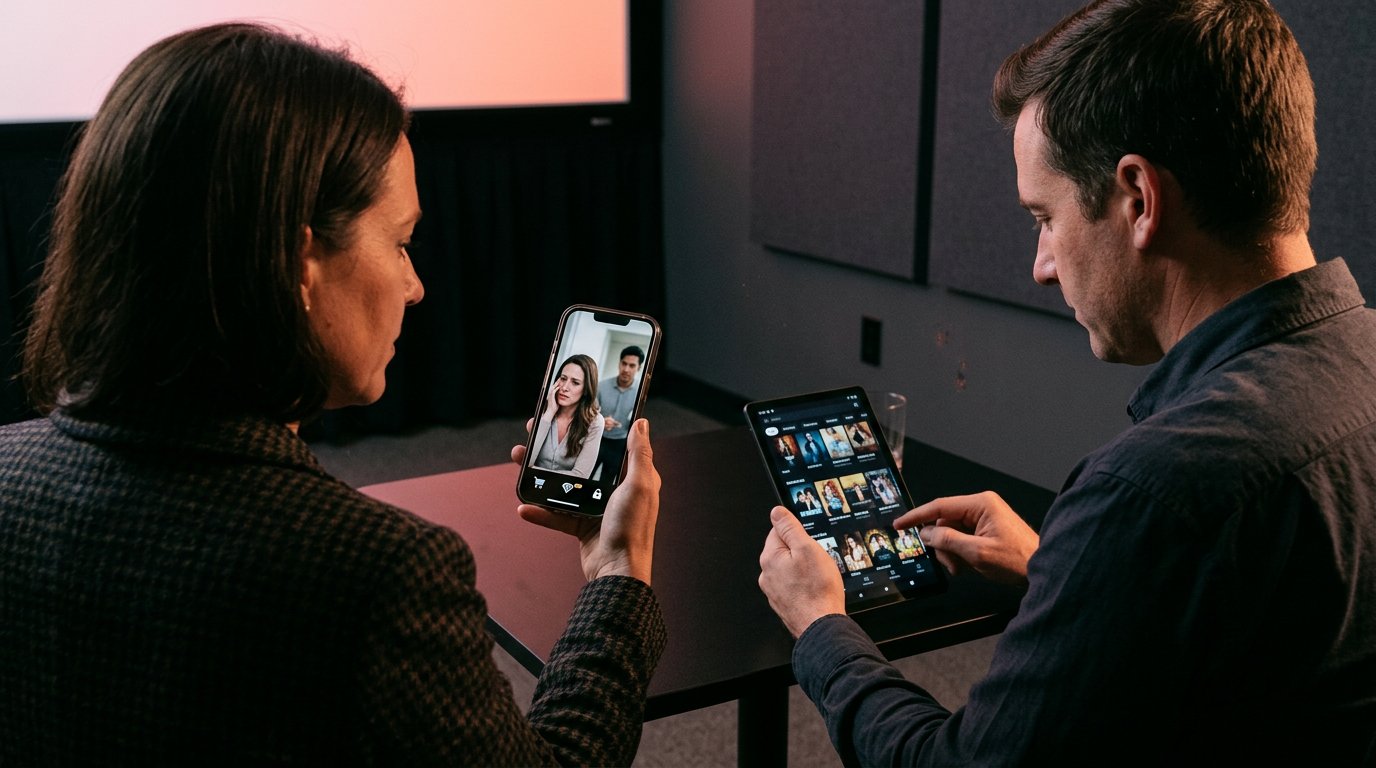
A vertical video app is a mobile-first product for portrait video, often used for short, serialized dramas. You can commission a custom build, use a pre-built or white-label platform, or launch a branded web app that viewers install as a PWA. Cost and calendar follow that choice: a custom web and mobile streaming MVP is often estimated at about five to eight months (Kanopy Labs), while a hosted storefront can go live much sooner once branding, catalogue and payments are ready.
Dramnex OS is the PWA path and does not ship native iOS or Android apps. There is a free 7-day trial with no card. Trial storefronts show a “Made with Dramnexos.com” watermark, which comes off on a paid plan. For a wider cost breakdown, see mobile drama app development cost.
Key Takeaways
- Choose a viewing format and playback experience that fit the content, audience habits, and bandwidth demands.
- Compare pre-built and custom development by weighing launch speed against the control and flexibility your product needs.
- Define a specific audience and content promise before building features; a clear niche gives viewers a reason to choose your app.
- Plan the tech stack around video delivery, monetization, and growth, or use a white-label platform to launch a branded vertical-drama service.
Table of contents
- What is a vertical video app?
- How do pre-built and custom development costs and timelines compare?
- How should you choose a niche and differentiate the app?
- Which tech stack is best for a scalable vertical video app?
- How Dramnex OS shortens the path to a vertical-drama app
What is a vertical video app?
A vertical video app presents video in a portrait-first interface designed for mobile screens. Its feed, playback controls, and discovery features should make browsing and watching feel natural on a phone.
How should mobile-first viewing and engagement be designed?
Mobile-first design starts with how people hold and use their phones. Social feeds have trained viewers to swipe, react, and share without leaving the screen, shaping what they expect from discovery and interaction. For example, a viewer should be able to tap from a clip to its creator or related title without detouring through search.
Why does vertical video fit mobile viewing?
The vertical format fills a phone’s portrait screen, while horizontal video leaves unused space or requires rotating the device. A common vertical aspect ratio is 9:16; 4:5 is another near-vertical option. Choose a format based on the footage and the viewing interface. Consistent framing keeps captions, faces, and action visible without asking viewers to turn their phones.
Video already accounts for a large share of internet traffic, so bandwidth planning is central to the app experience. In the mobile app, a feed can show a short preview, then open its associated title for full streaming. Clear playback controls and simple navigation help viewers move between clips and episodes.
Mobile entertainment features can include swipe-based discovery, saved titles, captions, and episode progress. In a drama app, for example, a preview clip can link directly to the episode it introduces. Tie each feature to a clear viewer action, and avoid crowding the screen with controls that compete with the video.
In the United States, video apps need to account for privacy, copyright, and content moderation. Privacy practices depend on what data the app collects and how it uses it. Copyright requires attention to the rights for uploaded and streamed material, while moderation processes should address prohibited or harmful content.
Hosting, encoding, and streaming costs depend on video volume, storage, resolution, and viewing demand. More uploads require more processing and storage, while more playback increases delivery needs. Plan for clear content rights, workable moderation, and discovery that helps viewers find relevant titles.
How do pre-built and custom development costs and timelines compare?
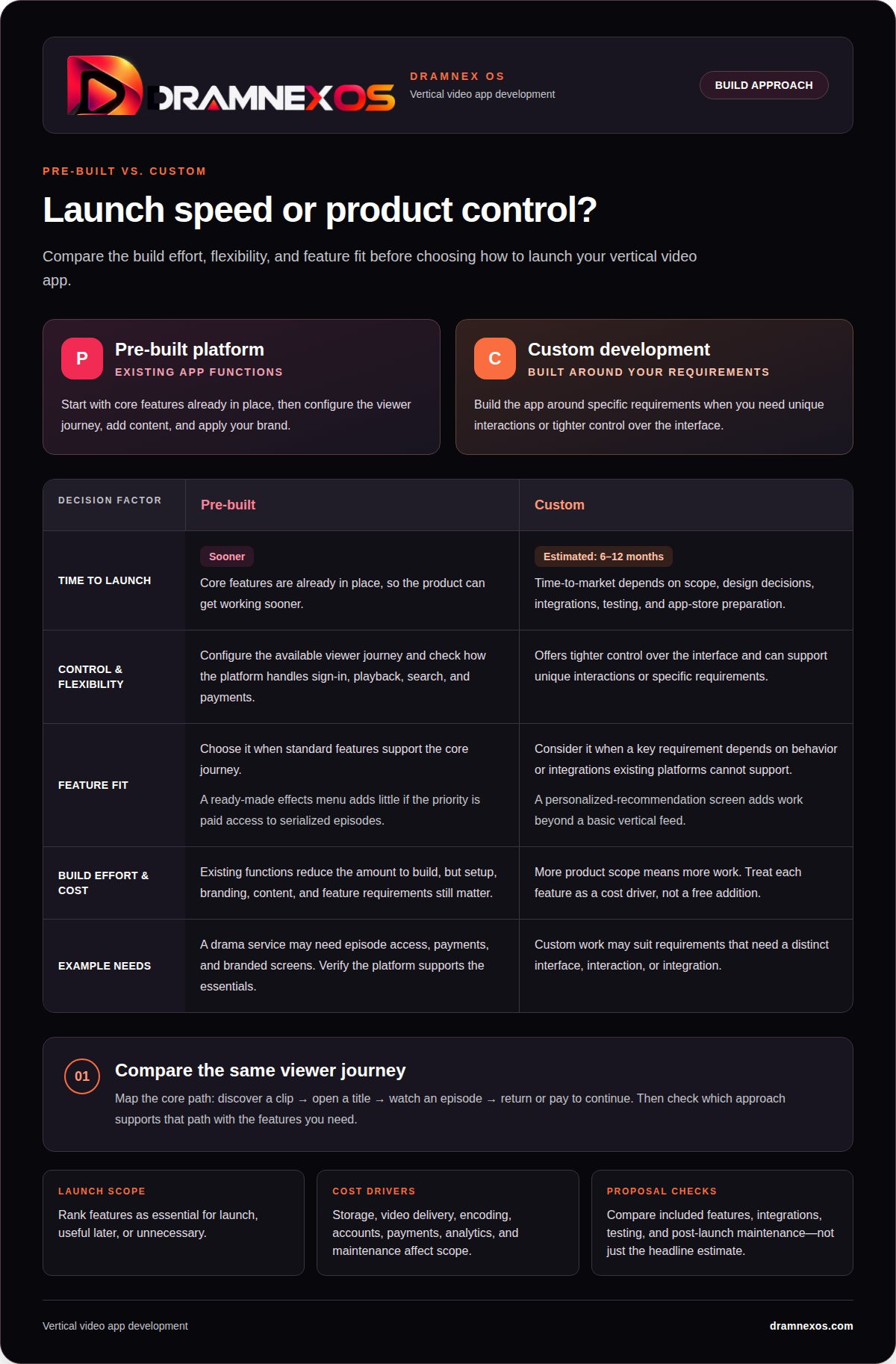
A pre-built platform starts with existing app functions; custom development builds around your specific requirements. The trade-off is control versus build effort. A drama service, for instance, may need episode access, payments, and branded screens. Identify essential functions before comparing either route.
Pre-built tools can get a product working sooner because core features are already in place. You still need to configure the viewer journey, add content, and apply your brand. Check how the platform handles sign-in, playback, search, and payments. A ready-made effects menu adds little if your priority is paid access to serialized episodes.
Custom development suits a product that needs unique interaction or tighter control over the interface. The trade-off is time: custom app development has an estimated time-to-market of 6-12 months. The schedule depends on scope, design decisions, integrations, testing, and app-store preparation. A custom screen for personalized recommendations adds work beyond a basic vertical feed.
Costs reflect the scope of the product. Storage and video delivery, encoding, account management, payments, analytics, and maintenance all affect the build. A prototype with a feed and playback has fewer moving parts than an app with creator uploads, moderation, subscriptions, and recommendations. Evaluate each feature as a cost driver, not a free addition.
Instagram-style browsing can inform interaction design, but copying its features does not define your product. Map the core journey first: discover a clip, open a title, watch an episode, then return or pay to continue. Choose pre-built development when standard features support that journey. Consider custom development when a key requirement depends on behavior or integrations that existing platforms cannot support.
Before committing, rank features as essential for launch, useful later, or unnecessary. This gives developers a clear scope and keeps optional effects from delaying playback or payments. Compare proposals by included features, integrations, testing, and post-launch maintenance, not just the headline estimate.
How should you choose a niche and differentiate the app?
A niche defines who the app serves, what its videos offer, and why viewers return. “Short dramas” is a category; “vertical mysteries with a new clue in every episode” is a more specific product promise. That focus guides content choices, discovery features, and the mobile viewing experience.
Start with a specific audience and a repeatable viewing need. A cooking app could focus on fast vegetarian meals, while a sports app could serve fans who want short athlete profiles rather than match highlights. These choices shape the catalog and help users recognize what belongs in the feed.
Differentiate through the whole experience, not a single effect. A distinct editorial voice, well-organized series, useful episode descriptions, and a direct path from preview to full title can make the app feel cohesive. Keep horizontal clips only when they serve the concept; do not force every format into the same viewing pattern.
Creators and viewers need a clear offer. Give creators a defined audience and an understandable content format; give viewers a reliable reason to open the app, such as exclusive micro-documentaries or serialized romance. Licensing finished series can also help operators build a coherent catalog instead of relying on unrelated clips.
Test the niche before expanding the feature list. Write a one-sentence promise, then assemble a small sample feed that demonstrates it. For a mystery app, include a teaser, a first episode, and an obvious next-watch choice. Ask potential viewers what they would watch next, and note where the promise or navigation causes confusion.
Use feedback to refine the product, not to chase every request. If viewers consistently look for a particular genre or creators need a clearer series page, prioritize that gap. A focused app can grow into adjacent topics, but each addition should fit the original promise. That discipline keeps the catalog recognizable and the experience easy to explain.
Which tech stack is best for a scalable vertical video app?
Choose a technology stack that handles video delivery and app features as distinct but connected parts. Playback, accounts, discovery, and payments should each have clear responsibilities. This makes it easier to improve the feed without rebuilding video storage or user profiles.
Choose native iOS and Android apps, or a cross-platform app if shared development fits your roadmap. Either approach needs a player that supports portrait playback, captions, and smooth transitions between clips. A drama viewer, for example, should be able to move from a preview to the full episode without losing their place.
Use a video pipeline to accept uploads, encode playback versions, and store source files. A 1080x1920-pixel version supports full HD portrait viewing. Keep processing separate from the app interface, so a new upload doesn’t slow down browsing. A content delivery network can serve video from locations closer to viewers, while adaptive playback can adjust quality to available bandwidth.
Organize the backend around user accounts, catalog data, search, and viewing history. A relational database can store episode details and access rules, while object storage holds video files. An API between the mobile app and backend lets the app request a title, check access, and record progress without exposing storage systems directly.
Plan monetization as part of the architecture. A paid episode unlock, for example, needs a payment flow, an entitlement record, and a playback check. Analytics can track actions such as opening a title or completing an episode. Where practical, keep these events separate from personal profile data.
Test the stack against realistic viewing patterns before launch. Simulate simultaneous playback, interrupted connections, failed uploads, and app restarts. Monitor startup time, buffering, playback errors, and storage growth to identify whether the bottleneck lies in encoding, delivery, the API, or the app. Scale the constrained component first. A modular design makes targeted adjustments easier than replacing the entire stack.
How Dramnex OS shortens the path to a vertical-drama app
Viewers get a branded web app they can install from the browser as a PWA. Dramnex OS does not provide native iOS or Android apps, and it does not list apps on the App Store or Google Play. There is a free 7-day trial with no card. Trial storefronts show a “Made with Dramnexos.com” watermark, which comes off on a paid plan. Plans are Creator at $49/month, Starter at $149.99/month, Launch at $399/month and Studio at $999/month, plus a 5% platform fee on collected viewer payments (0% during the trial). See current pricing. Viewer payments go to the operator’s Stripe account once Stripe is connected. Until then, Dramnex OS can collect payments and pay out by Wise (including to a Pakistani bank in PKR), Payoneer, PayPal, or bank transfer. Stripe’s processing fee is separate. Done-For-You Launch is optional setup help: branding, custom domain, catalog onboarding, and monetization configuration. It does not include native app development or store listings.
You can start a free 7-day trial, open the self-serve demo, or browse finished series on the content marketplace.
Related reading
FAQ
Frequently asked questions
What is a vertical video app?
It is an app or web app designed for portrait video on a phone, often with short episodes and a 9:16 frame. Many commercial micro-dramas run about one to two minutes per episode, in series of roughly 20 to 100 episodes.
Can I customize a pre-built app for my own brand?
Yes, that is the usual point of a white-label or pre-built platform: your name, colours, domain and catalogue. On Dramnex OS, a paid plan can include a custom domain; the 7-day trial uses a Dramnexos subdomain and a “Made with Dramnexos.com” watermark.
What are the key steps to launch a vertical video app?
Choose a niche and catalogue, secure rights, pick a build path, set branding and monetization, connect payments, test playback on real phones, then launch. Do not treat a store listing as required; a PWA can go live without app review.
How much does it cost to build and launch a short-form video app?
A custom web and mobile streaming MVP is often estimated at about five to eight months, before content and marketing, and the cash cost follows that scope. A hosted platform is a subscription plus payment fees. Compare both against the same feature list.
What features should a vertical video app MVP include?
A portrait player, a small licensed catalogue, accounts, one clear payment path, and basic analytics. You can add rewards, TV apps or store listings later if you truly need them. Dramnex OS covers the storefront and web billing; it does not include native store apps.
How can a vertical video app monetize through ads, subscriptions, or coins?
Use a short free sample, then a VIP plan, coin unlocks, advertising, or a mix. Pick a model you can explain at checkout and measure with your own data.
Newsroom by email
Get new articles in your inbox
Guides on launching and monetising your vertical-drama business. Confirm your address once, and we’ll email you when a new article is published.
Launch your own
Your own branded streaming app, live in minutes
Dramnexos is the white-label streaming operating system for vertical drama: your brand, your domain, coins, VIP and episode unlocks — with a free storefront to start and a licensing marketplace for finished series.