
guides
White-Label Streaming App: Key Features and a 2026 Checklist
A white-label streaming app is a ready-made video service you brand as your own. Look for the monetization you need, a custom domain, integrations you can operate, and an honest list of devices. Some vendors offer native store apps; Dramnex OS viewers get an installable web app only.
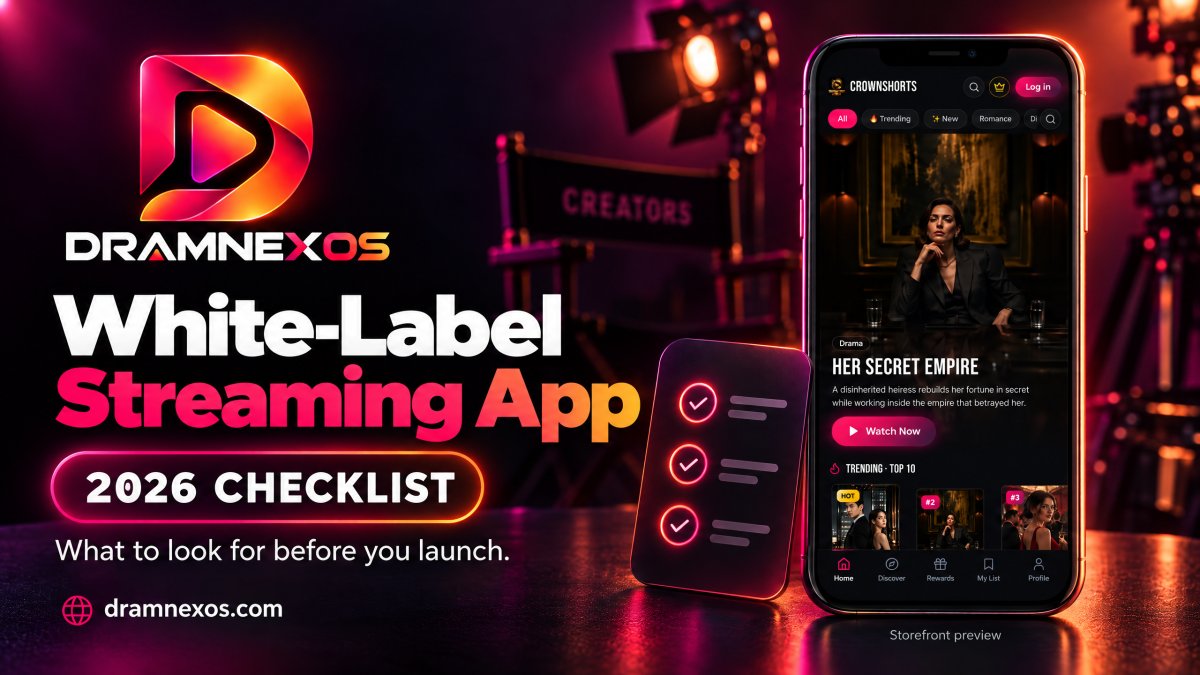
A white-label streaming app is a ready-made video service you brand as your own, instead of building player, payments, catalogue and accounts from scratch. Look for monetization you actually need, a custom domain, integrations you can operate, and an honest account of which devices are included. Some vendors offer native store apps; Dramnex OS does not. Viewers get an installable web app (PWA) only, and Done-For-You Launch does not include native app development or store listings.
There is a free 7-day trial with no card. Trial storefronts show a “Made with Dramnexos.com” watermark, which comes off on a paid plan. For the short-drama version of this model, see what a white-label short drama app is and how to launch a vertical drama app without building one.
Key Takeaways
- Map your brand across the storefront and viewer experience, then choose the app platforms your audience needs.
- Match your revenue model to how viewers watch, from subscriptions and ads to paid access for individual videos.
- Plan content management and analytics around the way you publish and measure viewer engagement.
- Set launch expectations around app scope, content readiness, and brand assets; a ready-made platform still needs a clear rollout plan.
Table of contents
- Can you use your own domain and launch fully under your brand?
- Which monetization models should the service support?
- Which CMS, MAM, analytics, CRM and CDN integrations matter?
- How long do development and launch usually take?
- How Dramnex OS fits a white-label checklist
Can you use your own domain and launch fully under your brand?
Yes. A white-label platform can put your domain, logo, colors, and interface in front of viewers. The branding can extend across web, mobile, and connected-TV apps.
How do branded apps work across devices?
Plan the app experience around where viewers watch. A branded service may include a browser storefront, Android and iOS apps, and connected-TV apps for Roku, Fire TV, and Apple TV. These are distinct surfaces, not one screen resized everywhere. Compare device coverage, navigation, and playback layouts before settling on your launch scope. Check whether the domain and app identity remain consistent from discovery through playback.
How should branding and the viewer experience work?
Apply your logo, colors, and visual style to key screens, including the home page, program details, and playback controls. Then review how viewers move from browsing to watching on each device. Third-party logos or watermarks can make a branded service feel borrowed, so identify where provider marks appear and whether they can be removed or replaced. Include captions in video programming: the U.S. Department of Justice says captions help people with hearing disabilities understand video information.
How does a white-label app compare with a custom build?
A white-label streaming platform supplies an existing foundation that you configure with your branding and content. A custom-built app starts with development work tailored to specific requirements, while “OTT” describes video delivered over the internet, not one build method. Choose based on the control you need, the features already available, and how much custom development your user experience requires. Typical setup fees and monthly pricing vary by scope; pricing depends on app coverage, integrations, and branding, and is provided after a quote request.
What platform-provider limits should you check?
In the United States, specialist OTT platform companies and app-development firms offer branded streaming solutions. Compare their device support, domain controls, watermark options, and app features against your launch needs. A white-label platform also sets boundaries: its available design and functions may not match every custom requirement. Map essential viewer journeys first, then separate must-have features from preferences. This makes platform limits visible before they shape your channels, programming, or rollout.
Which monetization models should the service support?
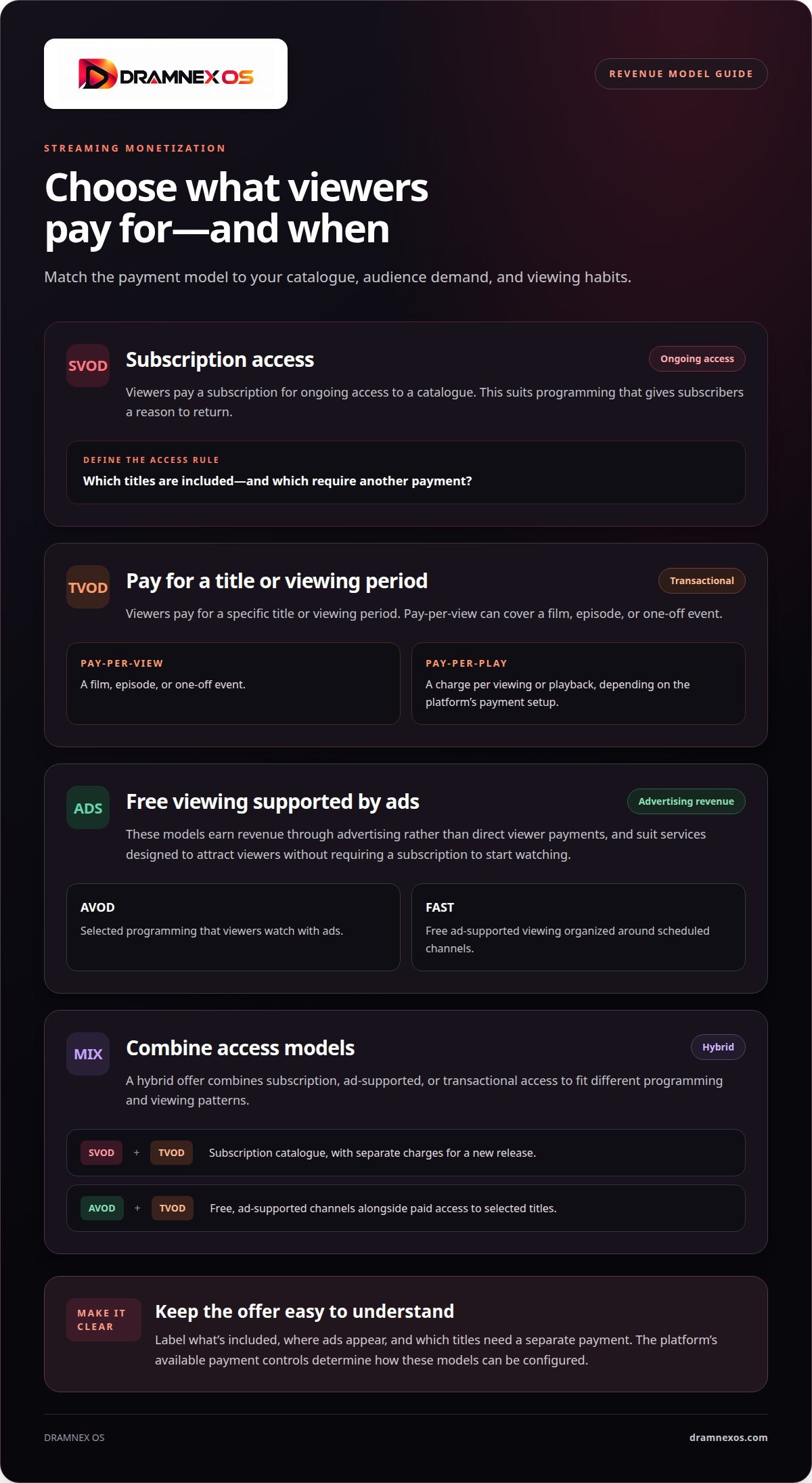
Streaming revenue depends on what viewers pay for and when. Choose a model that fits your catalogue, audience demand, and viewing habits.
How do subscription and transactional monetization compare?
SVOD, or subscription video on demand, charges viewers for ongoing access to a catalogue. It suits programming that gives subscribers a reason to return. Set clear access rules: which titles are included, and which require another payment?
TVOD, or transactional video on demand, charges for a specific title or viewing period. Pay-per-view applies that approach to a film, episode, or one-off event. Pay-per-play can charge per viewing or playback, depending on the platform’s payment setup. Use transactional access for a premiere or special event, and subscriptions when your catalogue supports repeat viewing.
For an online event, decide whether viewers pay once for access or subscribe to broader programming. An embedded player can put video on an existing site, while the payment flow determines how viewers purchase access. Map the steps from the event page to playback before launch.
When does a hybrid monetization model make sense?
AVOD means advertising video on demand: viewers watch selected programming with ads. FAST, or free ad-supported streaming television, organizes free viewing around scheduled channels. Both models earn revenue through advertising rather than direct viewer payments. They suit services designed to attract viewers without requiring a subscription to start watching.
A hybrid model combines SVOD, AVOD, or TVOD. For example, offer a subscription catalogue, then charge separately for a new release. Or provide free, ad-supported channels alongside paid access to selected titles. The right mix depends on catalogue depth, viewer demand, and how often audiences watch across devices.
Keep the offer easy to understand. Label what’s included, where ads appear, and which titles need separate payment. Then compare viewing and purchase patterns to see which access paths support revenue. A white-label platform’s available payment controls determine how these models can be configured.
Which CMS, MAM, analytics, CRM and CDN integrations matter?
Core features include video publishing, viewer analytics, subscriber tools, and connections to business systems. Hosting, encoding, DRM, and payment integrations vary by platform, so map each workflow before choosing tools.
What should you look for in CMS, MAM, CRM and CDN integrations?
A CMS should let your team upload, organize, and schedule video assets. A media asset management system, or MAM, helps manage files and details such as titles and versions. Check how each system passes programming information into the streaming service.
CRM connections can link viewer records with customer operations. CDN delivery supports video playback across viewers’ devices. For each integration, trace one asset from upload through publishing and playback. Note where staff must re-enter information and where systems exchange it directly.
How should analytics, APIs and webhooks work?
Useful analytics show viewer behavior, engagement, and churn. Compare performance across titles, channels, and access models. For example, track whether viewers finish an episode or stop midway. These signals help teams adjust programming and see which assets hold attention.
An API lets software exchange data with the streaming platform. Webhooks send event notifications, such as a subscription change or completed payment. See how these tools connect to your existing systems. Test a real workflow, such as sending a new-subscriber event to your CRM.
What subscriber operations and analytics should you have?
Subscriber operations cover account status, access, and payment events. Map what happens when someone joins, changes a plan, or loses access. Then identify which system owns each action. Clear ownership prevents conflicting records between a streaming platform and CRM.
Use analytics to connect subscriber operations with audience engagement. Review subscription activity alongside viewing patterns, then examine which programming keeps viewers returning. For transactional access, track title purchases separately from ongoing subscriptions. That distinction helps teams assess revenue models without treating every viewer action as the same signal.
How long do development and launch usually take?
A white-label build avoids some ground-up development, but launch still involves decisions and testing. Timing depends on app scope, branding assets, video readiness, and the work required to connect each supported device.
Break the rollout into practical stages. First, define the video streaming service: its audience, programming, access model, and launch devices. Next, prepare the logo, colors, app descriptions, and video assets. Then configure the OTT platform, load sample content, and test the player on each target screen. A browser launch has different work from native mobile apps or connected-TV apps.
For iOS and Android, prepare app names, icons, screenshots, descriptions, and privacy information. Publishing to the Apple App Store and Google Play involves submitting the app and its listing for review under each store’s current policies. Allow time to address review feedback and test the approved release on real devices. Accurate listings and stable playback make the submission package clearer.
Test the infrastructure before viewers arrive. Check sign-in, video playback, payment flows, and access to restricted programming. For example, complete a purchase on a phone, then confirm the same account can access the right content in the app. Test weak connections and playback resumption, too. These checks catch issues that branding previews won’t.
Keep the first release focused. Launch with the core viewing journey, a prepared catalogue, and the integrations needed to operate. Add secondary features after the player, payments, and content access work together. Each extra app type, custom workflow, or unfinished asset can add work, so settle the launch scope before development starts.
Use a readiness list: approved brand assets, tested content, configured access, store materials, and device checks. Track each item with an owner and completion status. This gives your team a practical view of what remains, without guessing at a calendar date. Plan a branded app launch around your platform scope and prepared content.
How Dramnex OS fits a white-label checklist
Viewers get a branded web app they can install from the browser as a PWA. Dramnex OS does not provide native iOS or Android apps, and it does not list apps on the App Store or Google Play. There is a free 7-day trial with no card. Trial storefronts show a “Made with Dramnexos.com” watermark, which comes off on a paid plan. Plans are Creator at $49/month, Starter at $149.99/month, Launch at $399/month and Studio at $999/month, plus a 5% platform fee on collected viewer payments (0% during the trial). See current pricing. Viewer payments go to the operator’s Stripe account once Stripe is connected. Until then, Dramnex OS can collect payments and pay out by Wise (including to a Pakistani bank in PKR), Payoneer, PayPal, or bank transfer. Stripe’s processing fee is separate. Done-For-You Launch is optional setup help: branding, custom domain, catalog onboarding, and monetization configuration. It does not include native app development or store listings.
You can start a free 7-day trial, open the self-serve demo, or browse finished series on the content marketplace.
Related reading
FAQ
Frequently asked questions
What does a “white-label” video or streaming platform mean?
It means you launch under your brand on a vendor’s ready-made stack for playback, catalogue, accounts and payments, instead of building those layers from scratch. You still supply the brand, the titles and the operating plan.
Can I use my own domain and launch fully under my brand?
Usually yes on a paid plan. On Dramnex OS, custom domains are available after you upgrade from the 7-day trial; the trial uses a Dramnex OS subdomain and a “Made with Dramnexos.com” watermark.
Can the service include both live and on-demand video?
Some white-label platforms support both; others are on-demand only. Dramnex OS is built for on-demand short drama. Confirm live support in writing if you need it.
How do subscribers pay?
Look for the models you need: subscriptions, episode or coin purchases, and ads. On Dramnex OS, viewer payments go to your Stripe account once Stripe is connected; otherwise payouts can go through Wise, Payoneer, PayPal or bank transfer.
How long does it take to launch?
A white-label storefront can go live once branding, catalogue, payments and testing are ready, often much sooner than a custom native build. Done-For-You Launch on Dramnex OS is optional setup help; it does not include native app development or store listings.
How much control do I have over content management?
You should be able to add and arrange titles, set metadata, control publish windows, and apply monetization rules without a ticket for every change. Ask the vendor to show that workflow before you subscribe.
Newsroom by email
Get new articles in your inbox
Guides on launching and monetising your vertical-drama business. Confirm your address once, and we’ll email you when a new article is published.
Launch your own
Your own branded streaming app, live in minutes
Dramnexos is the white-label streaming operating system for vertical drama: your brand, your domain, coins, VIP and episode unlocks — with a free storefront to start and a licensing marketplace for finished series.