
Home › Newsroom › monetisation
monetisation
VIP Subscription Streaming Platform Prices and Savings
A VIP subscription unlocks a defined set of titles or features for a recurring fee, often with an annual price that is cheaper than twelve monthly payments. If you operate the service, set rates, stream limits and what remains free or coin-locked so the offer is clear at checkout.

A VIP subscription on a streaming platform is a recurring plan that unlocks a defined set of titles or features, often with an annual price that is cheaper than twelve monthly payments. If you operate the service, set the monthly and annual rates, stream limits, and what remains free or coin-locked so viewers can compare options without surprises. Promotional savings only help if the included catalogue and the renewal price are both clear at checkout.
Dramnex OS lets operators offer VIP alongside coins and episode unlocks on a branded web app. There is a free 7-day trial with no card. Trial storefronts show a “Made with Dramnexos.com” watermark, which comes off on a paid plan. See how freemium, subscriptions and coins compare and current Dramnex OS pricing.
Key Takeaways
- Compare what each VIP tier includes before judging whether its price offers good value.
- Weigh monthly flexibility against annual billing, and look closely at the terms behind promotional savings.
- Match a plan’s simultaneous-stream limit to how people in your household watch.
- Use the comparison criteria to identify which premium subscription fits your viewing needs.
Table of contents
- How do subscription prices and promotional savings work?
- How do monthly and annual subscription prices compare?
- How should simultaneous streams be limited?
- Which streaming platforms offer VIP or premium subscriptions?
- How Dramnex OS supports VIP plans
How do subscription prices and promotional savings work?
VIP plans typically add benefits beyond standard access, such as premium programming or a broader selection of titles. The exact package depends on the service. Compare the benefits included in each tier rather than relying on the word “VIP.” A promotion might advertise a lower starting price, for example, but the terms determine what members receive and when the offer ends.
How do VIP plans compare with standard streaming subscriptions? Standard plans focus on core entertainment access; VIP plans may add premium channels, originals, live sports, or other features. A higher tier is worthwhile only when its added programming matches what you watch.
Promotions may reduce an initial charge, apply to a particular billing term, or bundle access. Read the full terms before choosing. Note the eligible plan, promotion duration, renewal price, and cancellation conditions. These details show whether the discount lasts or applies only at signup.
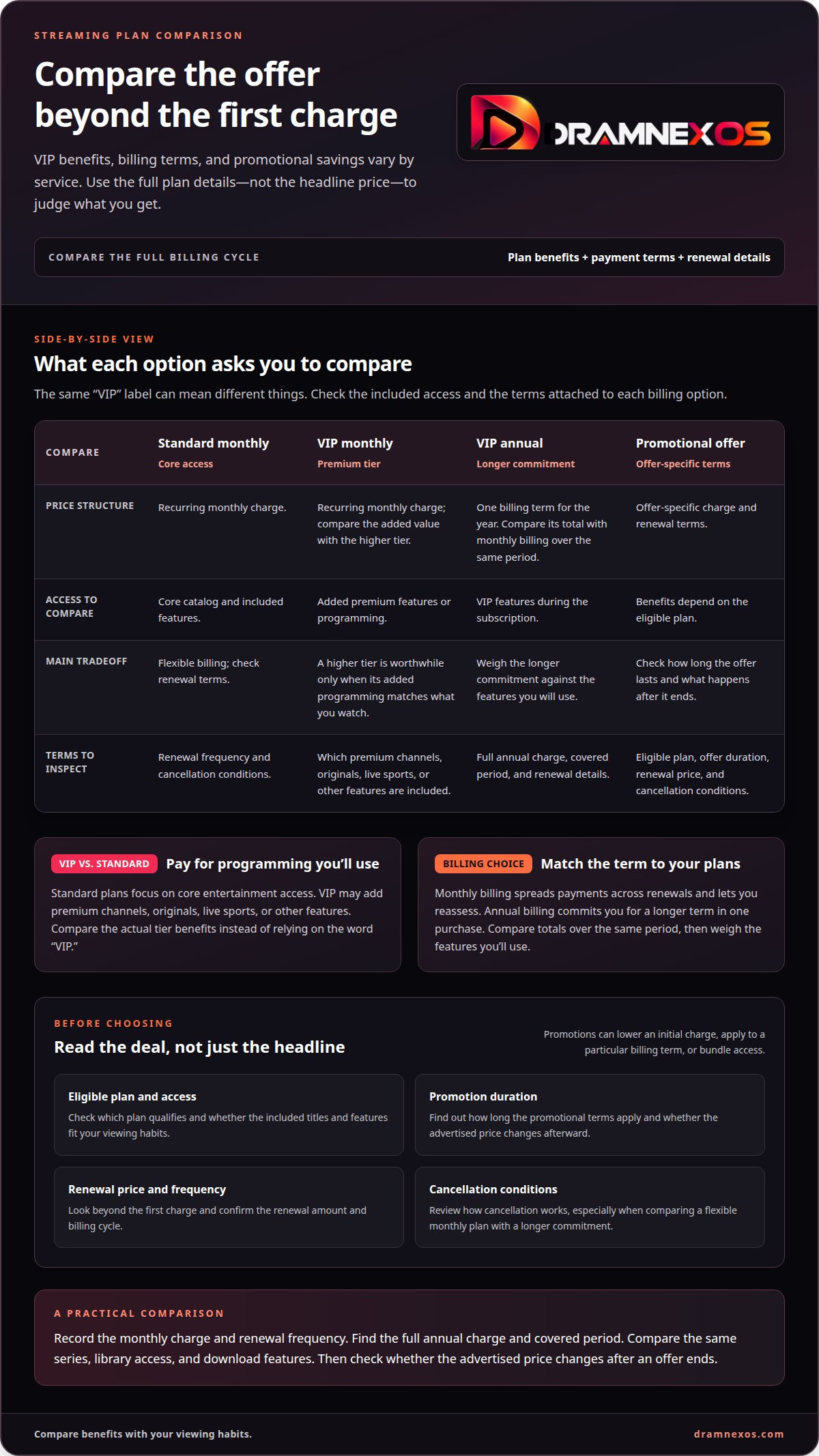
Use this comparison to distinguish the advertised deal from its longer-term value. Treat each row as a plan type, then compare the terms shown at checkout.
| Option | Price structure | Access to compare | Promotion tradeoff |
|---|---|---|---|
| Standard monthly | Recurring monthly charge | Core catalog and included features | Flexible billing; check renewal terms |
| VIP monthly | Recurring monthly charge | Added premium features or programming | Compare added value with the higher tier |
| VIP annual | One billing term for the year | VIP features during the subscription | Compare total commitment with monthly billing |
| Promotional offer | Offer-specific charge and renewal | Benefits depend on eligible plan | Check duration and post-promotion terms |
When comparing a VIP subscription streaming platform, look at the full billing cycle, not just the first charge. Check whether the offer is limited to new members, certain devices, or particular channels. A promotion may offer little value if its originals, live sports, or other programming don’t suit your viewing habits.
Choose monthly access when flexibility matters most. Choose annual billing only when the longer commitment and included benefits suit your plans. Consider a promotional rate only if its renewal terms and eligible features still make sense after the offer ends.
How do monthly and annual subscription prices compare?
Monthly billing spreads payments across renewals and lets you reassess. Annual billing commits you for a longer term in one purchase. Compare the annual total with the monthly charge over the same period. This shows the difference without relying on a promotional headline.
Then compare what each plan actually unlocks. A service may reserve selected series, a larger library, or downloads for certain tiers. “Unlimited” can describe access, but read the plan terms to see exactly what it covers. Check supported devices, too. A feature matters only if it works on the screens you use.
Run this quick comparison before selecting:
- Record the monthly charge and the renewal frequency.
- Find the full annual charge and its covered period.
- Compare the same series, library access, and download features.
- Note whether the advertised price changes after an offer ends.
For example, a student who watches one particular series should compare access to that title across plans. An annual option adds little practical value if it includes features the viewer won’t use. A household watching across supported devices may value a broader library more. Match the billing structure to actual viewing habits, not an imagined routine.
Separate the billing choice from the plan benefits. A lower annual total doesn’t automatically mean broader access, and monthly billing doesn’t automatically limit the library. Check whether downloads, selected programming, and device support stay consistent across billing terms. Read the renewal details before committing. If your viewing habits change, the ability to switch plans or cancel may matter as much as the initial charge.
Compare the annual and monthly totals, then weigh the features you’ll use. Choose annual billing when the commitment fits your viewing plans; choose monthly billing when flexibility matters more.
How should simultaneous streams be limited?
A simultaneous stream is playback happening at the same time on separate devices. That differs from the number of devices allowed to sign in. A plan may let members use a phone, television, and tablet while limiting how many screens can play at once. Check the stream limit before sharing access across a household.
Match the limit to your actual viewing. If one person watches football while another starts a movie, both sessions use streams at once. Live TV or sports bundles may have terms that differ from on-demand series. Check whether the limit applies across the entire service or only to certain channels or programming.
What are the risks of unofficial VIP streaming services? Access, billing, and account protections may be unclear, and catalogs or stream limits can change without notice. This can make it harder to plan viewing across devices or rely on an exclusive series being available.
Use these checks to compare plans:
- Separate simultaneous playback from permitted device sign-ins.
- Check whether live sports and on-demand movies share one stream allowance.
- Review how a bundle handles channels, exclusive titles, and downloads.
- Consider whether a student watching on campus needs the same access as household viewers.
For example, a household with a studio drama playing on the television and football streaming on a phone needs both sessions to work at once. If the plan blocks the second playback, a device limit alone won’t explain why. Look for terms such as concurrent streams, screens, or household use. These describe different limits, so don’t treat them as interchangeable.
Marvel titles and other exclusive programming can also affect when viewers watch. If household members tend to start the same release together, simultaneous playback matters more than the total device count. If only one person watches at a time, a higher stream allowance may add little value. Compare the plan’s playback rules with your household’s schedule, then choose a tier that supports those viewing patterns.
Which streaming platforms offer VIP or premium subscriptions?
Look for VIP or premium tiers across broad entertainment libraries, live-TV bundles, sports services, and genre-focused apps. The label alone doesn’t tell you what’s included. One service may use “premium” for extra channels, while another may reserve it for exclusive series or fewer playback limits. Compare the stated benefits, not the tier name.
Start with the content you actually watch. A drama fan might prioritize a complete series library and early access to new episodes. A sports viewer may care more about live events. A household choosing a bundle may want channels and on-demand movies together. These needs differ, so one premium tier won’t suit every viewer.
- For drama, compare exclusive titles and episode access.
- For live TV, review the included channels and programming.
- For sports, check which events and playback options the tier covers.
- For a bundle, compare its services with the apps you already use.
Next, examine how the upgrade changes the viewing experience. Does the tier add specific content, remove an access restriction, or combine services? A premium drama app, for example, could offer a broader series selection, while a live-TV package might emphasize channels. Treat these as comparison prompts, not standard feature promises.
Then compare the subscription terms with your viewing routine. Check billing frequency, simultaneous-playback rules, supported devices, and promotional conditions. A student who watches one drama series may value targeted access more than a large bundle. A household sharing screens may care more about the stream limit.
Use a simple rule: choose the platform whose included content and access terms match your main viewing needs. If two services both use “VIP,” compare their actual features side by side. Note title access, channels, devices, and playback terms before deciding. This turns a vague tier label into a practical comparison focused on what you’ll watch.
How Dramnex OS supports VIP plans
Viewers get a branded web app they can install from the browser as a PWA. Dramnex OS does not provide native iOS or Android apps, and it does not list apps on the App Store or Google Play. There is a free 7-day trial with no card. Trial storefronts show a “Made with Dramnexos.com” watermark, which comes off on a paid plan. Plans are Creator at $49/month, Starter at $149.99/month, Launch at $399/month and Studio at $999/month, plus a 5% platform fee on collected viewer payments (0% during the trial). See current pricing. Viewer payments go to the operator’s Stripe account once Stripe is connected. Until then, Dramnex OS can collect payments and pay out by Wise (including to a Pakistani bank in PKR), Payoneer, PayPal, or bank transfer. Stripe’s processing fee is separate.
You can start a free 7-day trial, open the self-serve demo, or browse finished series on the content marketplace.
Related reading
FAQ
Frequently asked questions
What does VIP subscription mean on a streaming platform?
VIP usually means a paid recurring plan that unlocks a stated library or features, such as ad-free viewing or episode access that would otherwise cost coins. The exact benefits must be written in the plan terms, not assumed from the word “VIP.”
What benefits are included with a VIP streaming subscription?
That is up to the operator. Typical benefits include access to locked episodes, fewer ads, or extra simultaneous streams. List what is included, what still costs coins, and what happens at renewal or cancellation.
Are VIP streaming subscriptions billed monthly or annually?
They can be either, or both. Annual plans are often priced below twelve monthly payments to reward a longer commitment. Show the renewal price and billing period at checkout, and keep entitlements in sync if a payment fails.
Can a VIP subscription be shared across devices or household members?
Only if you allow it in the plan rules. Set a simultaneous-stream limit and say whether profiles can be shared. Casual sharing can inflate costs; an unexplained cap can frustrate paying viewers.
How should VIP sit next to coins and free episodes?
Give a short free sample, keep coins for viewers who want one title, and use VIP for frequent viewers who want predictable access. If VIP and coins overlap without a clear rule, people will not know which option is better for them.
How do operators set VIP prices on Dramnex OS?
You set the viewer-facing VIP price in your storefront. Dramnex OS charges you a platform plan (Creator, Starter, Launch or Studio) plus a 5% fee on collected viewer payments (0% during the 7-day trial). Payments go to your Stripe account once Stripe is connected.
Newsroom by email
Get new articles in your inbox
Guides on launching and monetising your vertical-drama business. Confirm your address once, and we’ll email you when a new article is published.
Launch your own
Your own branded streaming app, live in minutes
Dramnexos is the white-label streaming operating system for vertical drama: your brand, your domain, coins, VIP and episode unlocks — with a free storefront to start and a licensing marketplace for finished series.