
Home › Newsroom › monetisation
monetisation
Pay Per Episode Streaming: In-App vs Web Billing
Pay-per-episode streaming can be billed through an app-store in-app purchase or through web billing on your site or PWA. Store billing is convenient but usually takes a commission; web billing avoids that store fee, provided entitlements stay in sync with each payment.
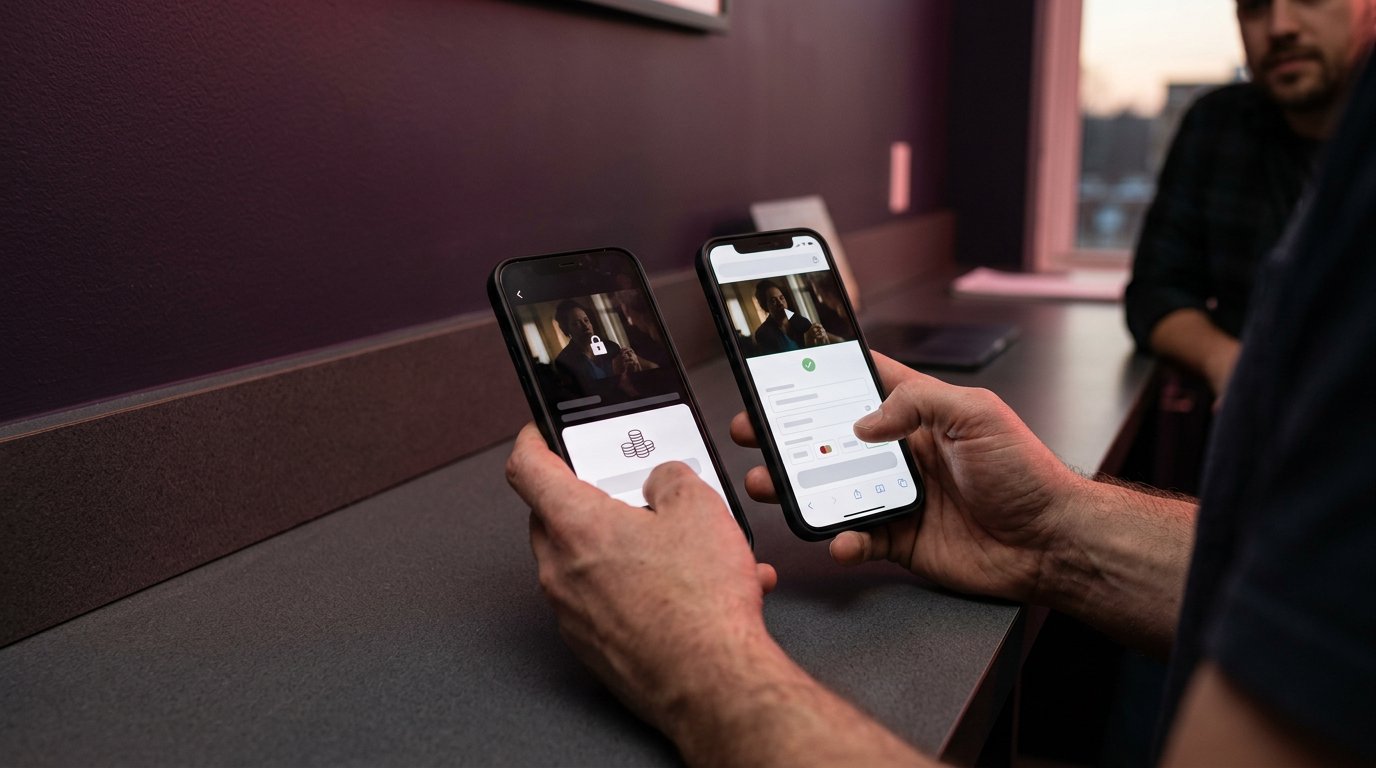
Pay-per-episode streaming can be billed through an app-store in-app purchase or through web billing on your own site or PWA. Store billing is convenient for viewers who already have a store account, but it usually deducts a commission and follows store rules; web billing, such as Stripe on a Dramnex OS storefront, avoids that store commission. Whichever path you use, the library has to reflect the viewer’s current rights after a successful payment, a failed payment, or a refund.
Dramnex OS uses web billing on an installable web app; it does not list apps in the App Store or on Google Play. There is a free 7-day trial with no card. Trial storefronts show a “Made with Dramnexos.com” watermark, which comes off on a paid plan. See also short drama app monetization and in-app versus web billing.
Key Takeaways
- Choose a billing route by weighing checkout flow against the share of each episode sale you retain.
- Use episode pricing and access options that fit how viewers watch, rather than relying on stream counts alone.
- Connect payment records to viewing entitlements so each unlock grants the right episode and failed payments don’t create access confusion.
- Map the billing setup before launch; a white-label platform can bring episode unlocks, coins, VIP tiers, and analytics into one branded experience.
Table of contents
- How does in-app purchase billing compare with web billing?
- What strategies can raise streaming income?
- How should entitlements and billing infrastructure work?
- What store fees and transaction costs apply?
- How Dramnex OS bills episode unlocks on the web
How does in-app purchase billing compare with web billing?
Episode purchases charge viewers for selected installments; a monthly subscription provides access under recurring terms. Which costs less depends on how many episodes someone watches and what the subscription includes.
For a pay-per-episode streaming app, billing choices also affect checkout, the revenue you retain, and how viewers regain access after paying.
How does in-app purchase billing work?
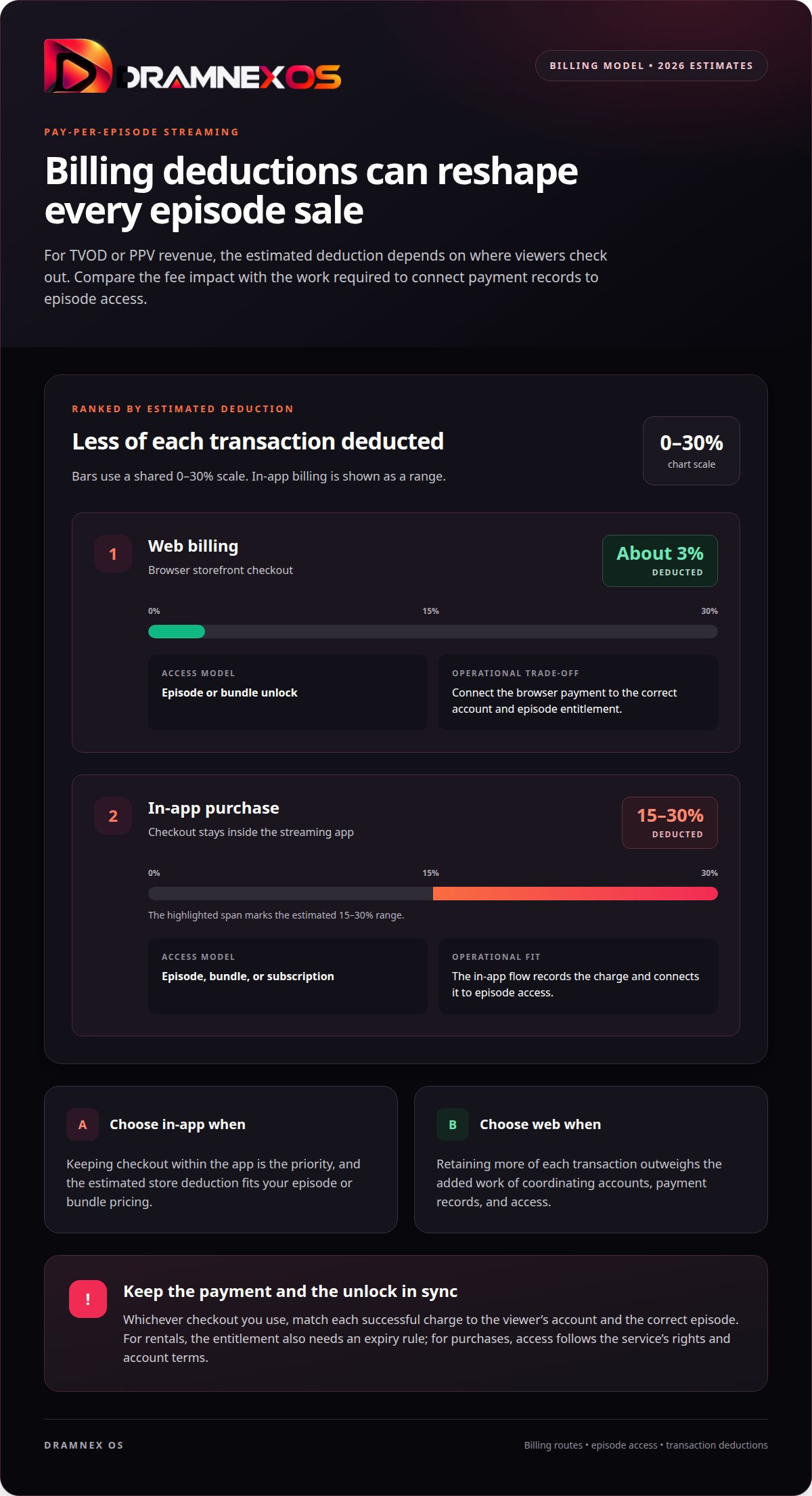
In-app purchase billing lets viewers pay inside the streaming app, using a payment flow supported by the platform. The app records the charge and connects it to episode access. That keeps checkout close to playback, but store billing is estimated to deduct 15-30% from TVOD or PPV revenue in 2026. Compare that deduction with web billing before setting episode or bundle prices.
How do episode purchases work?
Episode purchases let viewers unlock one installment, several episodes, or a bundle without starting a subscription. They pay only for the content they select, so the total rises with each additional unlock. A subscription charges on a recurring basis for defined access. Compare what each option includes, such as access to one episode versus a broader catalogue.
Web billing moves payment to a browser checkout connected to the app experience. A viewer may pay through a storefront over the internet, then return to the app to watch. Web billing is estimated to deduct about 3% from TVOD or PPV revenue in 2026. The operator must connect the payment record to the correct account and unlock, so a completed charge leads to the right episode.
| Option | Checkout | Revenue deduction estimate | Access model |
|---|---|---|---|
| In-app purchase | Inside the app | 15-30% in 2026 | Episode, bundle, or subscription |
| Web billing | Browser storefront | About 3% in 2026 | Episode or bundle unlock |
Choose in-app checkout for a purchase flow within the app. Choose web billing when retaining more of each transaction outweighs the added work of coordinating accounts and access.
What strategies can raise streaming income?
Grow income by improving discovery, matching access to viewer intent, and measuring what converts. A strong episode earns twice: first through a paid unlock, then by pulling viewers toward the next installment.
Start with discovery. Put a clear preview before the paywall, label the episode number, and show what unlocks next. For example, a cliffhanger preview can make the next episode’s value obvious. Streaming services such as Netflix train viewers to browse before choosing; make your own titles easy to scan without hiding the paid boundary.
Offer distinct ways to pay. Individual unlocks suit viewers seeking a specific episode; bundles suit those ready to watch several. A subscription may fit frequent viewers who want ongoing access. Track which option leads to a purchase or return purchase, and evaluate each format by the revenue it generates, not just its initial conversion.
Premium viewing can also change streaming income. In payout comparisons, premium streams pay approximately 2.5-3 times more than ad-supported streams. A US premium stream can pay 5-8 times as much as a free-tier stream from a low-priced market on the same service. These are stream-payout comparisons, not guaranteed revenue per episode unlock. Millions of plays do not automatically mean millions of paid purchases.
- Use previews and episode labels to support discovery.
- Offer individual episodes, bundles, or subscriptions for different viewing habits.
- Track purchases, repeat unlocks, and subscription activity separately.
Review these measures together. If viewers start a series but stop before paying for the next episode, test a different preview or bundle structure. If you’re planning the tools behind these options, explore streaming platform plan options.
How should entitlements and billing infrastructure work?
An entitlement is the access record that connects a payment to specific videos. For an episode purchase, the system must match the viewer’s account, the episode, and the access terms.
Rentals, permanent access, downloads, device access, payment methods, and regional availability depend on the service’s settings and content rights.
How do episode rentals differ from unlocks?
Episodes can be rented when a service offers temporary access. Unlike an outright purchase, a rental entitlement needs an expiry rule. Before paying, viewers should see when access ends, whether after a set period or a viewing window. This distinction applies to both individual episodes and bundles.
A video rental on YouTube is a familiar example of time-limited access, but terms vary by service. A streaming operator needs billing records that trigger the correct expiry and remove playback access when a rental ends.
How do outright episode purchases work?
Buying an episode outright creates a purchase-based entitlement, not a rental. It doesn’t automatically guarantee permanent availability or offline playback. The service’s rights, account terms, and download support determine whether a purchased video stays in the viewer’s library and can be watched without an internet connection.
Playback across multiple devices also depends on account and service rules. A purchase may be tied to one account; family sharing requires a specific sharing feature. Apple TV is one viewing environment, but that doesn’t guarantee every purchase supports family access or downloads.
What payment methods and regional restrictions should you plan for?
In the United States, available payment methods depend on the checkout provider and whether viewers pay in-app or on the web. Regional restrictions depend on content rights and supported markets. The purchase flow should show which payment methods are available and whether the episode can be played in the viewer’s location.
Connect each successful charge to the viewer’s account, then grant the matching episode entitlement. Handle refunds, failed charges, and account changes against that same record. RevenueCat has reported that failed payments accounted for 31% of Google Play subscription cancellations and 14% of iOS subscription cancellations in one analysis. Keep annual subscriptions separate from one-time episode access, and make the library reflect the viewer’s current rights.
What store fees and transaction costs apply?
Compare the share deducted from each purchase, not just the checkout button. In 2026 estimates, store billing deducts 15-30% from TVOD or PPV revenue; web billing deducts about 3%. These are different routes to payment, with different costs and operational demands.
For a fair comparison, apply each estimate to the same episode price and sales volume. The difference in deductions affects revenue before content rights, payment processing, and other operating costs, so don’t treat it as pure profit. Web checkout still requires payment handling and a reliable way to connect each completed purchase to the right viewer entitlement.
Build a simple cost model around the transaction:
- Record the gross amount charged for an episode or bundle.
- Apply the relevant store or web billing deduction.
- Account for payment processing, refunds, and rights obligations separately.
- Compare the remaining amount with repeat purchases and viewer retention.
The viewer’s route matters, too. Someone might browse a catalogue on an Amazon device, choose an episode, then pay elsewhere. Keep the displayed price and resulting access consistent across the app and web storefront. A mismatch can create support work even when the payment succeeds.
Use transaction records as your source of truth. Separate one-time episode purchases from subscription charges, then review gross sales, deductions, refunds, and successful unlocks together. This reveals whether lower deductions still support a workable purchase flow and where viewers drop out, such as between browsing a title and completing checkout.
Choose web billing when retaining more of each transaction is the priority and your systems can connect payment to access. Choose in-app billing when its checkout better fits your viewers’ habits. To plan a branded streaming setup around episode monetization, review streaming platform options.
Include that investment in the broader monetization plan alongside transaction deductions. Your app must support the chosen mix of paid access and advertising. Assess whether episode purchases justify including pay-per-view in the build, rather than treating checkout as an isolated cost decision.
How Dramnex OS bills episode unlocks on the web
Viewers get a branded web app they can install from the browser as a PWA. Dramnex OS does not provide native iOS or Android apps, and it does not list apps on the App Store or Google Play. There is a free 7-day trial with no card. Trial storefronts show a “Made with Dramnexos.com” watermark, which comes off on a paid plan. Plans are Creator at $49/month, Starter at $149.99/month, Launch at $399/month and Studio at $999/month, plus a 5% platform fee on collected viewer payments (0% during the trial). See current pricing. Viewer payments go to the operator’s Stripe account once Stripe is connected. Until then, Dramnex OS can collect payments and pay out by Wise (including to a Pakistani bank in PKR), Payoneer, PayPal, or bank transfer. Stripe’s processing fee is separate.
You can start a free 7-day trial, open the self-serve demo, or browse finished series on the content marketplace.
Related reading
FAQ
Frequently asked questions
What is the difference between in-app and web billing?
In-app billing charges the viewer through the App Store or Google Play and follows store commission and review rules. Web billing charges the viewer on your site or PWA, often through Stripe, and avoids the store commission. Dramnex OS uses web billing and does not list store apps.
Are there free streaming subscriptions and free trials?
Some consumer services offer a free trial or a limited free viewing option. Those are not the same as a platform trial for operators. Dramnex OS offers operators a free 7-day trial to create a storefront; it is not a consumer subscription to watch a catalogue.
What streaming apps let you pay per episode instead of subscribing?
Many short-drama apps sell episode unlocks or coin packs, sometimes alongside a VIP plan. The exact mix changes by app and region. If you operate your own storefront, you can offer coins, VIP, or both, and show the price before purchase.
What fees apply to store billing versus web billing?
App stores typically deduct a commission on eligible in-app purchases, often 15% or 30% depending on the program and amount. Web billing has processor fees (for example Stripe’s published card pricing) and, on Dramnex OS, a 5% platform fee on collected viewer payments (0% during the trial).
Why do failed payments matter?
A failed renewal can cancel access even if the viewer still expects to watch. RevenueCat has reported that failed payments accounted for 31% of Google Play subscription cancellations and 14% of iOS cancellations in one analysis. Keep the library in line with the viewer’s current rights.
Does Dramnex OS process viewer payments to my Stripe account?
Yes, once Stripe is connected. Until then, Dramnex OS can collect payments and pay out by Wise (including to a Pakistani bank in PKR), Payoneer, PayPal, or bank transfer.
Newsroom by email
Get new articles in your inbox
Guides on launching and monetising your vertical-drama business. Confirm your address once, and we’ll email you when a new article is published.
Launch your own
Your own branded streaming app, live in minutes
Dramnexos is the white-label streaming operating system for vertical drama: your brand, your domain, coins, VIP and episode unlocks — with a free storefront to start and a licensing marketplace for finished series.